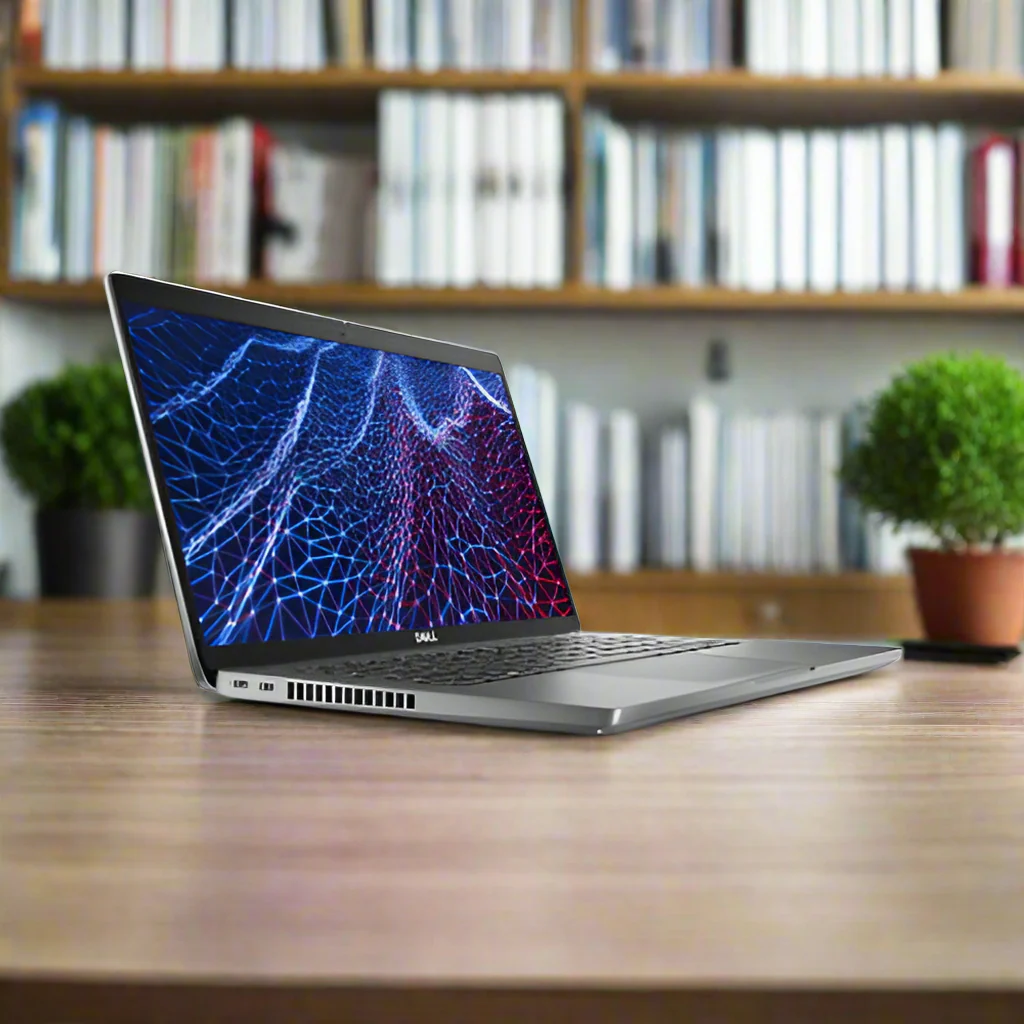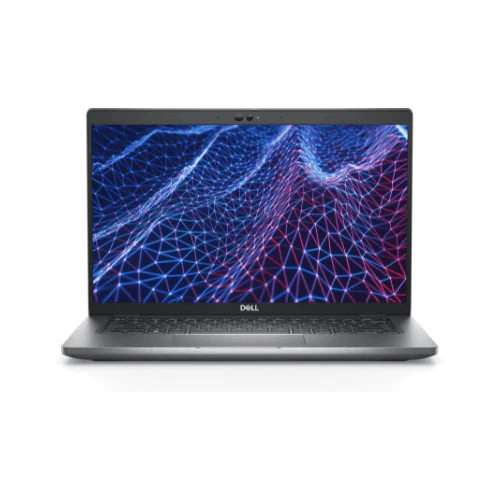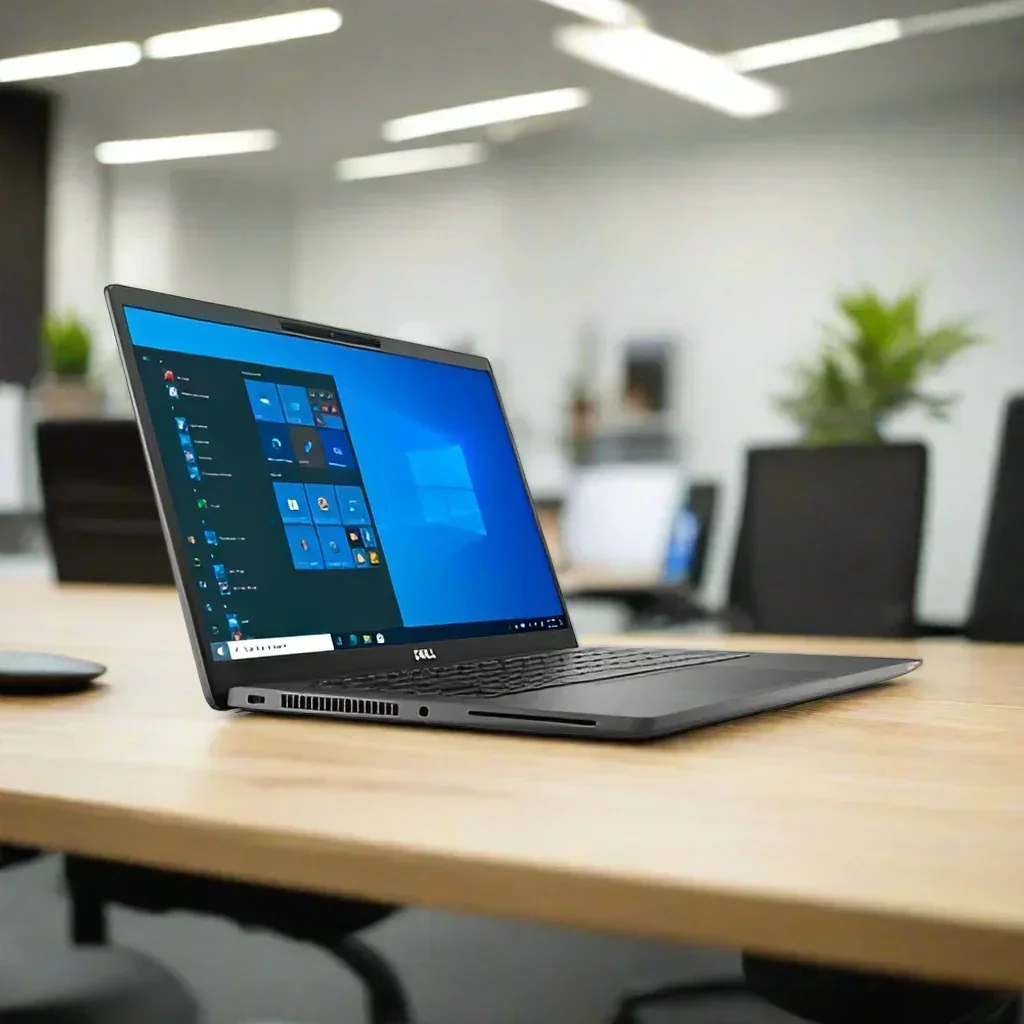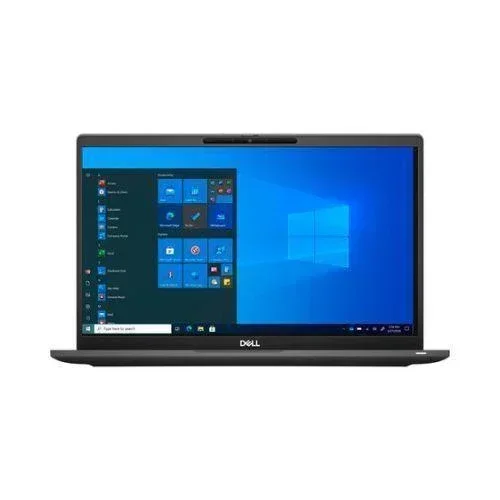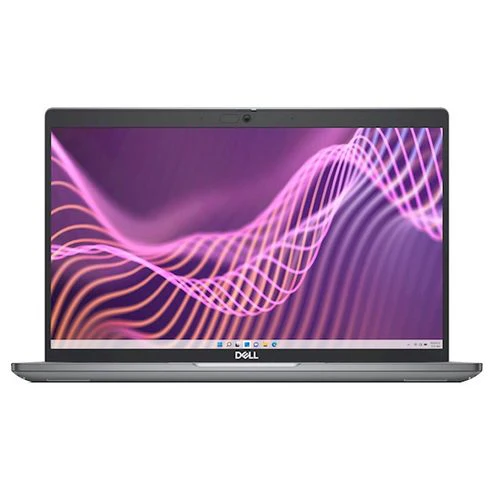
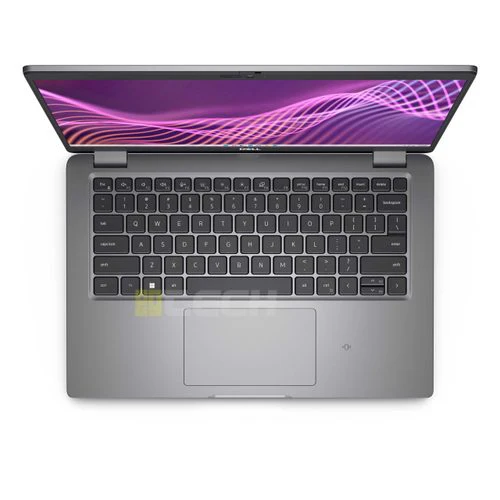


Dell Latitude 5440 Laptop 14" i5-1345U 32GB 256GB NVMe SSD FHD Win 11 Pro | Wty
Dell Latitude 5440 — 14" FHD 13th Gen i5, 32GB RAM, Win 11 Pro
A modern 13th Gen Intel Core i5-1345U business laptop with a generous 32GB of DDR4 RAM and 256GB NVMe SSD. Built for professionals who need genuine multitasking headroom without the premium price tag. Backed by a 12-month Reboot IT warranty with free standard AU shipping.
Key Benefits
- 13th Gen i5-1345U — 10-Core Hybrid Architecture: Intel's Raptor Lake design combines 2 Performance cores and 8 Efficiency cores with Intel Thread Director — responsive single-threaded tasks alongside efficient background processing. Boosts up to 4.7GHz with a power-efficient 15W TDP for all-day battery life.
- 32GB DDR4 RAM: Double the memory of most business laptops in this class — comfortably run virtual machines, multiple Chrome profiles, large Excel models, and cloud sync clients without slowdowns.
- 256GB NVMe SSD: PCIe solid-state storage for fast boot times and near-instant application launches. Windows 11 Pro loads in under 15 seconds.
- 14" Full HD Display: 1920×1080 IPS panel — clear, comfortable viewing for all-day office and remote work.
- Windows 11 Pro Included: Ships with genuine activated Windows 11 Pro — BitLocker encryption, Group Policy, Remote Desktop, and enterprise features ready out of the box.
- Modern Connectivity: Thunderbolt 4, WiFi 6E, HDMI, Gigabit Ethernet — everything needed for a productive desk setup or docking station workflow.
Performance in Use
The i5-1345U's 10-core hybrid architecture genuinely changes the daily computing experience. The two Performance cores handle demanding single-threaded tasks — Excel calculations, PowerPoint rendering, PDF exports, and application launches — while eight Efficiency cores manage email syncing, cloud storage, antivirus scans, and background updates without impacting foreground performance. In practice this means a laptop that stays responsive under heavy daily loads: 20-tab browser sessions, Teams or Zoom, Office 365, and a CRM all open simultaneously.
The standout spec here is 32GB of RAM — this is where the Latitude 5440 genuinely separates itself from comparable machines. Running a Windows 11 virtual machine alongside your regular workload, processing large datasets in Power BI or Python, or keeping dozens of applications open across multiple virtual desktops — 32GB handles it cleanly where 8 or 16GB would show memory pressure. The NVMe SSD keeps file operations and application launches snappy throughout.
Thunderbolt 4 enables single-cable docking — plug in once and get power, dual 4K monitors, USB hub, and Gigabit Ethernet all through one connector. WiFi 6E delivers faster, lower-latency wireless in congested office networks. This is a well-rounded, capable platform built for professionals who actually push their machine.
Tech Specifications
| Brand | Dell |
| Model | Latitude 5440 |
| Processor | Intel Core i5-1345U (13th Gen Raptor Lake, 10-core 2P+8E, 1.6GHz base/4.7GHz boost, 15W) |
| RAM | 32GB DDR4 |
| Storage | 256GB NVMe SSD (M.2 PCIe) |
| Display | 14" Full HD (1920×1080) IPS Anti-Glare |
| Graphics | Intel Iris Xe (integrated) |
| Operating System | Windows 11 Pro (activated) |
| Wireless | Intel Wi-Fi 6E (802.11ax), Bluetooth 5.2 |
| Ports | Thunderbolt 4 (×2), USB-A, HDMI, Gigabit Ethernet, 3.5mm audio |
| Security | TPM 2.0, IR camera (Windows Hello), Privacy Shutter, Kensington lock |
| Weight | Approx. 1.54kg |
| Warranty | 12 months — Reboot IT (Melbourne) |
Is It Right for You?
| Best For ✓ | Not For ✗ |
|---|---|
|
|
Condition Grades
| Grade | Cosmetic Condition | Battery |
|---|---|---|
| A — Excellent | Minimal cosmetic marks, near-new appearance. Fully tested and verified. | 70%+ capacity |
| B — Good | Light cosmetic wear — minor scratches or scuffs. Fully functional. | 50–70% capacity |
All grades carry a 30-day battery warranty. Cosmetic marks do not affect performance.
Frequently Asked Questions
Why does 32GB RAM matter compared to 16GB?
32GB lets you run a Windows 11 virtual machine alongside your regular workload, process large datasets without page file thrashing, or keep every application you use all day open simultaneously — without the slowdowns that hit 16GB systems under heavy load.
What does Thunderbolt 4 support?
Thunderbolt 4 provides 40Gbps bandwidth supporting dual 4K monitors, ultra-fast external SSDs, and docking stations that deliver power, displays, and all ports through a single cable connection.
What is the difference between Windows 11 Home and Pro?
Windows 11 Pro adds BitLocker drive encryption, Group Policy management, Remote Desktop (host), Hyper-V virtualisation, and Azure AD join support — essential for corporate environments and IT-managed deployments.
Can I upgrade the SSD?
Yes — the M.2 NVMe slot accepts standard PCIe SSDs. If 256GB becomes tight over time, upgrading to a 512GB or 1TB drive is straightforward.
Does it support Windows Hello?
Yes — the IR camera enables facial recognition login, and the privacy shutter lets you block the camera physically when not in use.
Does it include free shipping?
Yes — free standard AU shipping is included on every order, dispatched from our Melbourne warehouse.
Who is Reboot IT?
Reboot IT is a Melbourne-based refurbished IT equipment retailer operating since 2001. Every unit is professionally tested, graded, and backed by our own warranty. Visit reboot-it.com.au.
Every Dell Latitude 5440 we sell is backed by a full 12-month hardware warranty from Reboot IT. We've been professionally refurbishing and selling IT equipment in Melbourne since 2001 — every unit is tested across display, keyboard, ports, wireless, thermals, and storage before it leaves our warehouse. Free standard AU shipping on every order. Visit reboot-it.com.au.
Original: $490.61
-65%$490.61
$171.71Product Information
Product Information
Shipping & Returns
Shipping & Returns
Description
Dell Latitude 5440 — 14" FHD 13th Gen i5, 32GB RAM, Win 11 Pro
A modern 13th Gen Intel Core i5-1345U business laptop with a generous 32GB of DDR4 RAM and 256GB NVMe SSD. Built for professionals who need genuine multitasking headroom without the premium price tag. Backed by a 12-month Reboot IT warranty with free standard AU shipping.
Key Benefits
- 13th Gen i5-1345U — 10-Core Hybrid Architecture: Intel's Raptor Lake design combines 2 Performance cores and 8 Efficiency cores with Intel Thread Director — responsive single-threaded tasks alongside efficient background processing. Boosts up to 4.7GHz with a power-efficient 15W TDP for all-day battery life.
- 32GB DDR4 RAM: Double the memory of most business laptops in this class — comfortably run virtual machines, multiple Chrome profiles, large Excel models, and cloud sync clients without slowdowns.
- 256GB NVMe SSD: PCIe solid-state storage for fast boot times and near-instant application launches. Windows 11 Pro loads in under 15 seconds.
- 14" Full HD Display: 1920×1080 IPS panel — clear, comfortable viewing for all-day office and remote work.
- Windows 11 Pro Included: Ships with genuine activated Windows 11 Pro — BitLocker encryption, Group Policy, Remote Desktop, and enterprise features ready out of the box.
- Modern Connectivity: Thunderbolt 4, WiFi 6E, HDMI, Gigabit Ethernet — everything needed for a productive desk setup or docking station workflow.
Performance in Use
The i5-1345U's 10-core hybrid architecture genuinely changes the daily computing experience. The two Performance cores handle demanding single-threaded tasks — Excel calculations, PowerPoint rendering, PDF exports, and application launches — while eight Efficiency cores manage email syncing, cloud storage, antivirus scans, and background updates without impacting foreground performance. In practice this means a laptop that stays responsive under heavy daily loads: 20-tab browser sessions, Teams or Zoom, Office 365, and a CRM all open simultaneously.
The standout spec here is 32GB of RAM — this is where the Latitude 5440 genuinely separates itself from comparable machines. Running a Windows 11 virtual machine alongside your regular workload, processing large datasets in Power BI or Python, or keeping dozens of applications open across multiple virtual desktops — 32GB handles it cleanly where 8 or 16GB would show memory pressure. The NVMe SSD keeps file operations and application launches snappy throughout.
Thunderbolt 4 enables single-cable docking — plug in once and get power, dual 4K monitors, USB hub, and Gigabit Ethernet all through one connector. WiFi 6E delivers faster, lower-latency wireless in congested office networks. This is a well-rounded, capable platform built for professionals who actually push their machine.
Tech Specifications
| Brand | Dell |
| Model | Latitude 5440 |
| Processor | Intel Core i5-1345U (13th Gen Raptor Lake, 10-core 2P+8E, 1.6GHz base/4.7GHz boost, 15W) |
| RAM | 32GB DDR4 |
| Storage | 256GB NVMe SSD (M.2 PCIe) |
| Display | 14" Full HD (1920×1080) IPS Anti-Glare |
| Graphics | Intel Iris Xe (integrated) |
| Operating System | Windows 11 Pro (activated) |
| Wireless | Intel Wi-Fi 6E (802.11ax), Bluetooth 5.2 |
| Ports | Thunderbolt 4 (×2), USB-A, HDMI, Gigabit Ethernet, 3.5mm audio |
| Security | TPM 2.0, IR camera (Windows Hello), Privacy Shutter, Kensington lock |
| Weight | Approx. 1.54kg |
| Warranty | 12 months — Reboot IT (Melbourne) |
Is It Right for You?
| Best For ✓ | Not For ✗ |
|---|---|
|
|
Condition Grades
| Grade | Cosmetic Condition | Battery |
|---|---|---|
| A — Excellent | Minimal cosmetic marks, near-new appearance. Fully tested and verified. | 70%+ capacity |
| B — Good | Light cosmetic wear — minor scratches or scuffs. Fully functional. | 50–70% capacity |
All grades carry a 30-day battery warranty. Cosmetic marks do not affect performance.
Frequently Asked Questions
Why does 32GB RAM matter compared to 16GB?
32GB lets you run a Windows 11 virtual machine alongside your regular workload, process large datasets without page file thrashing, or keep every application you use all day open simultaneously — without the slowdowns that hit 16GB systems under heavy load.
What does Thunderbolt 4 support?
Thunderbolt 4 provides 40Gbps bandwidth supporting dual 4K monitors, ultra-fast external SSDs, and docking stations that deliver power, displays, and all ports through a single cable connection.
What is the difference between Windows 11 Home and Pro?
Windows 11 Pro adds BitLocker drive encryption, Group Policy management, Remote Desktop (host), Hyper-V virtualisation, and Azure AD join support — essential for corporate environments and IT-managed deployments.
Can I upgrade the SSD?
Yes — the M.2 NVMe slot accepts standard PCIe SSDs. If 256GB becomes tight over time, upgrading to a 512GB or 1TB drive is straightforward.
Does it support Windows Hello?
Yes — the IR camera enables facial recognition login, and the privacy shutter lets you block the camera physically when not in use.
Does it include free shipping?
Yes — free standard AU shipping is included on every order, dispatched from our Melbourne warehouse.
Who is Reboot IT?
Reboot IT is a Melbourne-based refurbished IT equipment retailer operating since 2001. Every unit is professionally tested, graded, and backed by our own warranty. Visit reboot-it.com.au.
Every Dell Latitude 5440 we sell is backed by a full 12-month hardware warranty from Reboot IT. We've been professionally refurbishing and selling IT equipment in Melbourne since 2001 — every unit is tested across display, keyboard, ports, wireless, thermals, and storage before it leaves our warehouse. Free standard AU shipping on every order. Visit reboot-it.com.au.