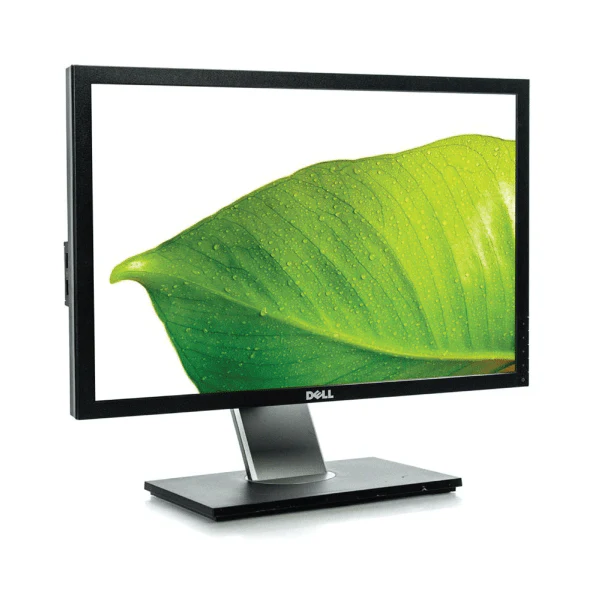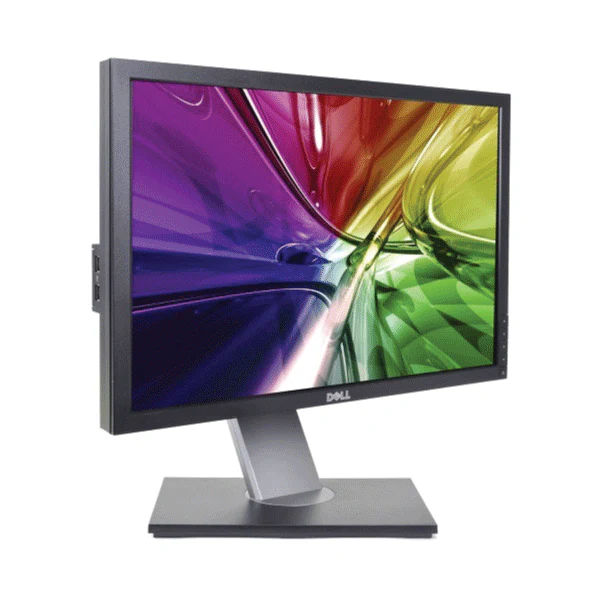

Dell OptiPlex 9010 AIO 23in Core i5-3470S 2.9GHz 4GB 250GB HDD No OS | Wty
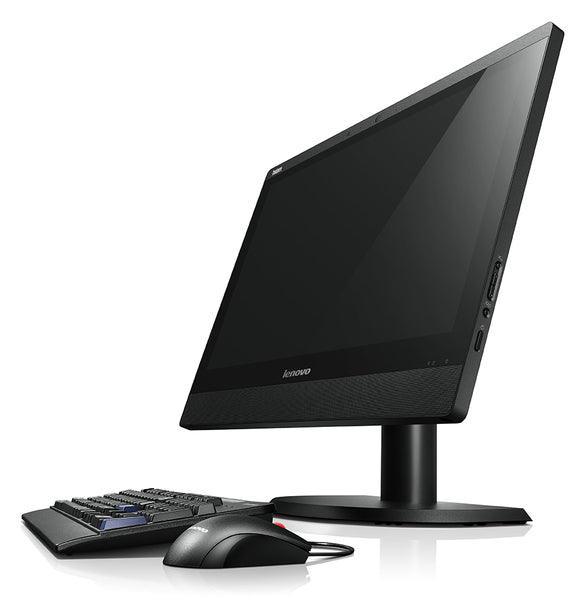
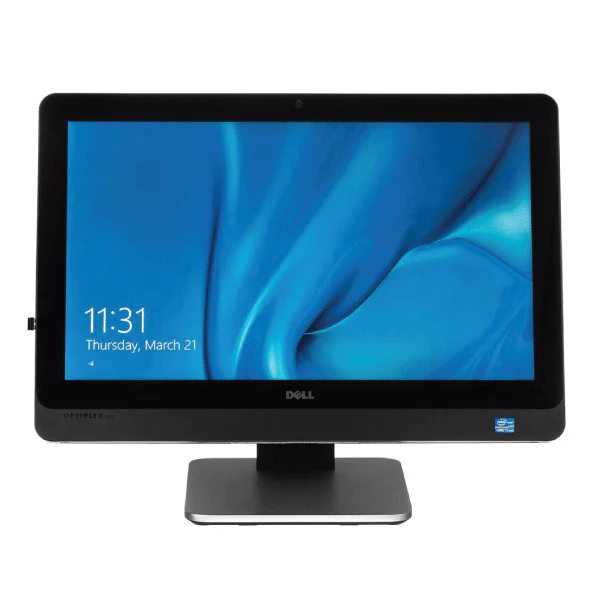
Dell OptiPlex 9010 All-in-One — 23-Inch Business Desktop
The Dell OptiPlex 9010 All-in-One integrates a quad-core Intel Core i5-3470S processor, 4GB DDR3 RAM, and a 250GB hard drive behind a 23-inch Full HD display — a space-saving business desktop with enterprise-class reliability. No tower, no cable clutter. Ships without an OS. Backed by a 12-month Reboot IT warranty.
Key Benefits
- All-in-One design: Monitor, CPU, and speakers in one unit — one power cable, clean desk
- 23-inch Full HD display: 1920x1080 IPS-grade LCD for comfortable extended viewing
- Quad-core performance: Intel Core i5-3470S at 2.9GHz (Turbo 3.6GHz) for reliable office productivity
- Enterprise chassis: Business-class OptiPlex build quality with manageable BIOS and remote admin features
- Built-in connectivity: Gigabit Ethernet, USB 3.0, and optional WiFi — ready for wired or wireless networks
- Compact footprint: Ideal for reception desks, education labs, and space-constrained workstations
Performance in Use
The OptiPlex 9010 AIO delivers steady, predictable performance for everyday business tasks. The i5-3470S quad-core handles email, web browsing, document editing, and light media work without complaint. With 4GB of DDR3 RAM and a 250GB hard drive, it's well-suited to environments running Linux, Windows 10 (32-bit), or a thin-client operating system.
The 23-inch Full HD panel provides excellent screen real estate for productivity applications, POS software, or kiosk display. Unlike the 9030 model, the 9010 AIO does not feature a touchscreen — input is via standard keyboard and mouse. This makes it an economical choice for reception counters, call centres, and back-office workstations where touch interaction is not required.
The machine ships without an operating system. Windows 10 32-bit, Windows 7, and most Linux distributions install cleanly. Note: 4GB DDR3 and a 2.9GHz 3rd-gen i5 mean this machine is best suited to lightweight OS builds and focused single-application workloads rather than heavy multitasking.
Tech Specifications
| Processor | Intel Core i5-3470S, 3rd Gen, Quad-Core, 2.9GHz (Turbo 3.6GHz) |
| RAM | 4GB DDR3 |
| Storage | 250GB HDD |
| Display | 23-inch Full HD 1920x1080 (non-touch) |
| Operating System | No OS Installed |
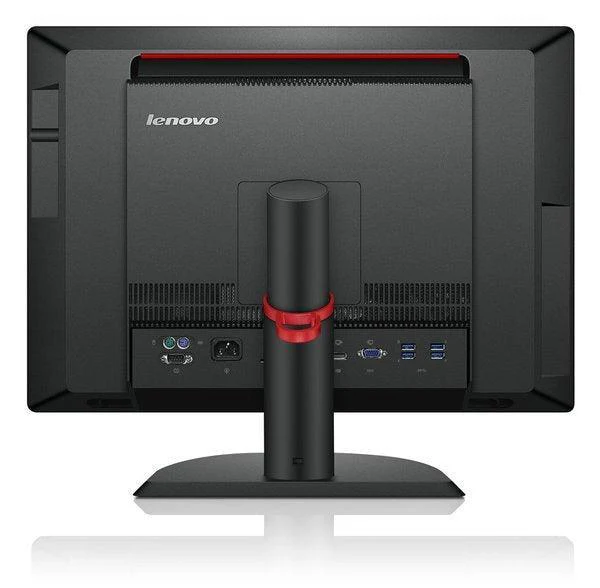
| Wired Network | Gigabit Ethernet |
| USB | USB 3.0, USB 2.0 |
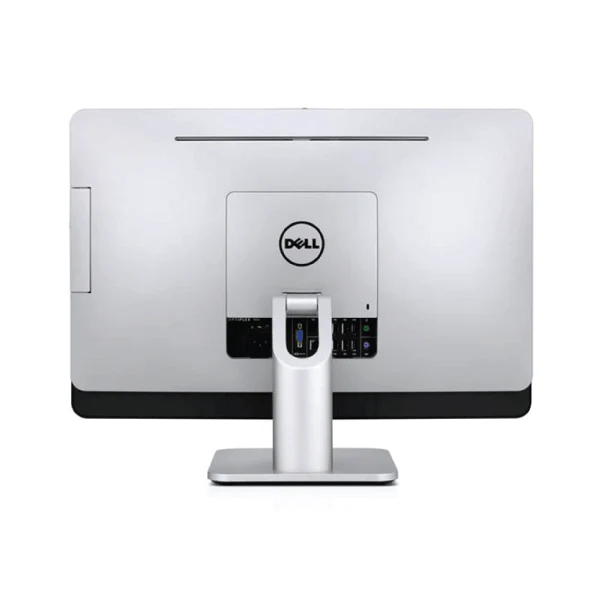
| Video Output | DisplayPort, VGA |
| Form Factor | All-in-One |
| Warranty | 12 months (Reboot IT) |
Is It Right for You?
| Best For ✓ | Not For ✗ |
|---|---|
| Reception desks and call centre stations | Heavy multitasking or SSD-dependent workflows |
| Education labs on a tighter budget | Gaming or GPU-intensive applications |
| POS terminals and single-application kiosks | Users needing Windows pre-installed |
| Linux thin-client deployments | Touchscreen interactive applications |
Condition Grades
| Grade | Condition |
|---|---|
| A — Excellent | Minimal cosmetic marks, fully functional, display tested. 30-day hardware warranty. |
| B — Good | Light wear and minor scuffs consistent with office use. Fully functional. 30-day hardware warranty. |
Frequently Asked Questions
Does this model have a touchscreen?
No. The OptiPlex 9010 AIO features a standard non-touch 23-inch Full HD display. If you need a touchscreen AIO, consider the OptiPlex 9030 AIO.
What operating system can I install?
The unit ships with no OS. Windows 10 32-bit installs cleanly on 4GB RAM, as do most Linux distributions. Windows 11 is not supported on 3rd-gen Intel processors.
Can I upgrade the RAM or storage?
The 9010 AIO supports up to 16GB DDR3 RAM. The internal drive bay accommodates a 3.5-inch HDD or 2.5-inch SSD with an appropriate bracket.
Does it include a keyboard and mouse?
No. Any standard USB keyboard and mouse will work.
What is the warranty?
All Reboot IT products include a 12-month warranty. If a fault develops within 12 months, we repair or replace at no cost.
What are the shipping costs?
Shipping costs apply based on size and destination — rates are calculated at checkout.
12-Month Warranty & Trust
Every Dell OptiPlex 9010 AIO sold by Reboot IT carries a full 12-month warranty. We've been refurbishing and selling business-grade IT equipment since 2001 from our Melbourne workshop. Each unit is inspected, cleaned, tested, and graded before dispatch. Visit us at reboot-it.com.au for our full refurbished range.
Original: $107.66
-65%$107.66
$37.68Product Information
Product Information
Shipping & Returns
Shipping & Returns
Description
Dell OptiPlex 9010 All-in-One — 23-Inch Business Desktop
The Dell OptiPlex 9010 All-in-One integrates a quad-core Intel Core i5-3470S processor, 4GB DDR3 RAM, and a 250GB hard drive behind a 23-inch Full HD display — a space-saving business desktop with enterprise-class reliability. No tower, no cable clutter. Ships without an OS. Backed by a 12-month Reboot IT warranty.
Key Benefits
- All-in-One design: Monitor, CPU, and speakers in one unit — one power cable, clean desk
- 23-inch Full HD display: 1920x1080 IPS-grade LCD for comfortable extended viewing
- Quad-core performance: Intel Core i5-3470S at 2.9GHz (Turbo 3.6GHz) for reliable office productivity
- Enterprise chassis: Business-class OptiPlex build quality with manageable BIOS and remote admin features
- Built-in connectivity: Gigabit Ethernet, USB 3.0, and optional WiFi — ready for wired or wireless networks
- Compact footprint: Ideal for reception desks, education labs, and space-constrained workstations
Performance in Use
The OptiPlex 9010 AIO delivers steady, predictable performance for everyday business tasks. The i5-3470S quad-core handles email, web browsing, document editing, and light media work without complaint. With 4GB of DDR3 RAM and a 250GB hard drive, it's well-suited to environments running Linux, Windows 10 (32-bit), or a thin-client operating system.
The 23-inch Full HD panel provides excellent screen real estate for productivity applications, POS software, or kiosk display. Unlike the 9030 model, the 9010 AIO does not feature a touchscreen — input is via standard keyboard and mouse. This makes it an economical choice for reception counters, call centres, and back-office workstations where touch interaction is not required.
The machine ships without an operating system. Windows 10 32-bit, Windows 7, and most Linux distributions install cleanly. Note: 4GB DDR3 and a 2.9GHz 3rd-gen i5 mean this machine is best suited to lightweight OS builds and focused single-application workloads rather than heavy multitasking.
Tech Specifications
| Processor | Intel Core i5-3470S, 3rd Gen, Quad-Core, 2.9GHz (Turbo 3.6GHz) |
| RAM | 4GB DDR3 |
| Storage | 250GB HDD |
| Display | 23-inch Full HD 1920x1080 (non-touch) |
| Operating System | No OS Installed |
| Wired Network | Gigabit Ethernet |
| USB | USB 3.0, USB 2.0 |
| Video Output | DisplayPort, VGA |
| Form Factor | All-in-One |
| Warranty | 12 months (Reboot IT) |
Is It Right for You?
| Best For ✓ | Not For ✗ |
|---|---|
| Reception desks and call centre stations | Heavy multitasking or SSD-dependent workflows |
| Education labs on a tighter budget | Gaming or GPU-intensive applications |
| POS terminals and single-application kiosks | Users needing Windows pre-installed |
| Linux thin-client deployments | Touchscreen interactive applications |
Condition Grades
| Grade | Condition |
|---|---|
| A — Excellent | Minimal cosmetic marks, fully functional, display tested. 30-day hardware warranty. |
| B — Good | Light wear and minor scuffs consistent with office use. Fully functional. 30-day hardware warranty. |
Frequently Asked Questions
Does this model have a touchscreen?
No. The OptiPlex 9010 AIO features a standard non-touch 23-inch Full HD display. If you need a touchscreen AIO, consider the OptiPlex 9030 AIO.
What operating system can I install?
The unit ships with no OS. Windows 10 32-bit installs cleanly on 4GB RAM, as do most Linux distributions. Windows 11 is not supported on 3rd-gen Intel processors.
Can I upgrade the RAM or storage?
The 9010 AIO supports up to 16GB DDR3 RAM. The internal drive bay accommodates a 3.5-inch HDD or 2.5-inch SSD with an appropriate bracket.
Does it include a keyboard and mouse?
No. Any standard USB keyboard and mouse will work.
What is the warranty?
All Reboot IT products include a 12-month warranty. If a fault develops within 12 months, we repair or replace at no cost.
What are the shipping costs?
Shipping costs apply based on size and destination — rates are calculated at checkout.
12-Month Warranty & Trust
Every Dell OptiPlex 9010 AIO sold by Reboot IT carries a full 12-month warranty. We've been refurbishing and selling business-grade IT equipment since 2001 from our Melbourne workshop. Each unit is inspected, cleaned, tested, and graded before dispatch. Visit us at reboot-it.com.au for our full refurbished range.