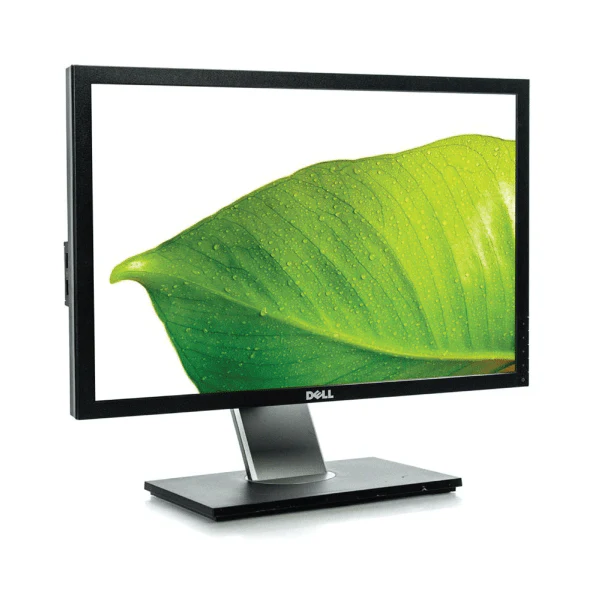
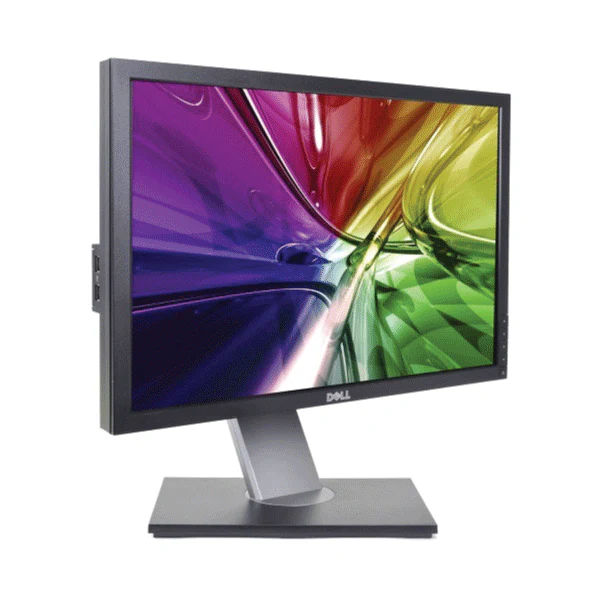
Dell 24" U2414H Monitor FHD IPS 60Hz W-LED USB Hub HDMI | Wty
Dell UltraSharp U2414H — 24" Full HD IPS Monitor
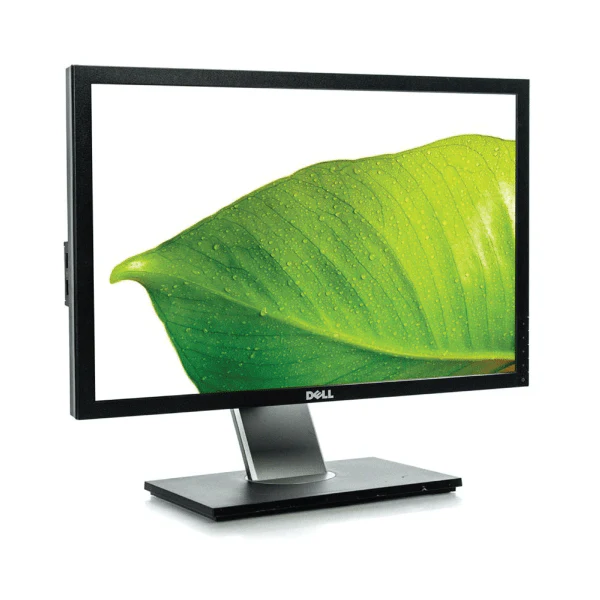
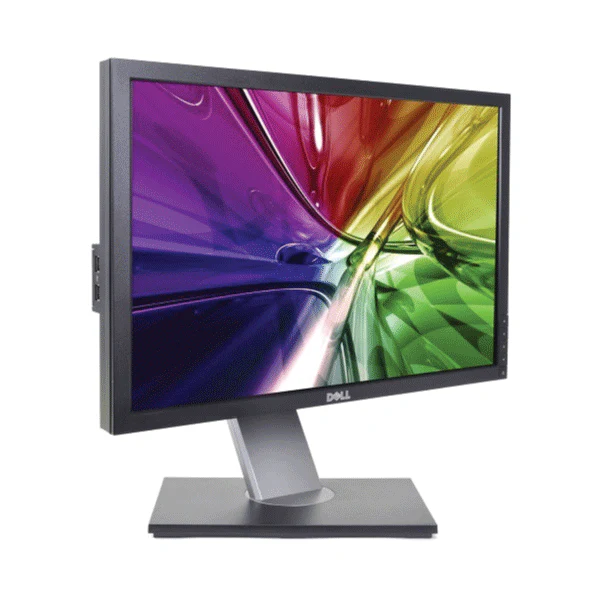
The Dell UltraSharp U2414H is a 23.8" Full HD IPS monitor with an ultra-thin 6.05mm bezel, 96% sRGB colour accuracy, and a fully ergonomic stand — backed by a 12-month Reboot IT warranty. With HDMI, DisplayPort, mini-DisplayPort, MHL, and a 4-port USB 3.0 hub, it's the benchmark thin-bezel dual-monitor choice.
Key Benefits
- 6.05mm ultra-thin bezel: Near-seamless dual and triple monitor arrays — the gap between screens is minimal and far less distracting than standard-bezel monitors.
- IPS colour accuracy: 96% sRGB with 178°/178° viewing angles — consistent, accurate colour from any viewing position at the desk.
- MHL port: View Full HD content directly from a compatible smartphone or tablet without a laptop — useful for presentations and mobile-first workflows.
- USB 3.0 hub: Four USB 3.0 ports including one high-current charging port — fast data transfers and device charging through the monitor.
- Full ergonomic stand: 130mm height adjustment, tilt, swivel, and 90° portrait pivot — positions perfectly for any user or workflow.
- HDMI + DP + mini-DP: Three video inputs covering virtually all modern devices without adapters.
Performance In Use
The U2414H's 6.05mm bezel is its most distinctive feature. When two units are placed side by side the visible gap between images is minimal — near-continuous from panel to panel. This makes the U2414H a long-standing dual-monitor favourite, and at Reboot IT we consistently see demand for this specific model from users building multi-screen setups who don't want the thick chrome borders that standard monitors impose.
The USB 3.0 hub adds genuine daily utility. Three standard USB 3.0 downstream ports handle peripherals and data transfers at full speed, while the dedicated high-current port delivers twice the power for charging phones and tablets — so the monitor functions as an effective lightweight dock without requiring a separate docking station. The MHL input is a bonus for users who regularly mirror mobile device screens in meeting settings.
The ergonomic stand is comprehensive. The 130mm height range covers most sit-stand desk positions, the 90° portrait pivot enables vertical document and code review workflows, and swivel and tilt complete the adjustment set. For environments where the monitor may be shared between users of different heights, or where space is tight enough to require the monitor in portrait orientation, the U2414H handles all of it.
Technical Specifications
| Screen Size | 23.8" (diagonal viewable) |
| Panel Type | IPS (In-Plane Switching) |
| Resolution | 1920 × 1080 (Full HD) at 60Hz |
| Response Time | 8ms gray-to-gray |
| Bezel Width | 6.05mm ultra-thin (three sides) |
| Colour Gamut | 96% sRGB, 16.77 million colours |
| Viewing Angles | 178° horizontal / 178° vertical |
| Aspect Ratio | 16:9 |
| Video Inputs | 1× HDMI, 1× DisplayPort, 1× Mini DisplayPort, 1× MHL |
| USB Hub | 4× USB 3.0 (1× high-current charging port) |
| Stand Adjustments | Height (130mm), tilt, swivel, pivot (portrait) |
| VESA Mount | Compatible (stand removable) |
| Warranty | 12 months (Reboot IT) |
Is It Right For You?
| Best For ✓ | Not For ✗ |
|---|---|
| Dual/triple monitor setups needing minimal bezel gap | Gamers needing high refresh rates |
| Users who want USB 3.0 hub + charging in one cable | Users needing USB-C video input |
| Mobile-first workers connecting phones via MHL | Users needing built-in speakers |
| Ergonomic setups requiring portrait pivot & height | Users needing QHD/4K resolution |
Condition Grades
| Grade | Description |
|---|---|
| A — Excellent | Minimal to no cosmetic marks on bezel or stand. Display surface clean, no pressure marks. Fully functional. |
| B — Good | Light cosmetic wear on bezel or stand consistent with normal use. Display remains clear. All ports tested. |
Frequently Asked Questions
Is the U2414H good for a dual-monitor setup?
Yes — the 6.05mm bezel is one of the thinnest on any monitor of this era. Two units side by side create a near-seamless display. It's one of the most popular thin-bezel dual-monitor options we stock at Reboot IT.
What does the MHL port do?
MHL (Mobile High-Definition Link) lets you display Full HD content from a compatible Android smartphone or tablet directly on the monitor — no laptop needed. Useful for mobile presentations and screen mirroring.
What's the difference between Excellent and Good grade?
Excellent (Grade A) shows minimal cosmetic wear and presents near-new. Good (Grade B) has light marks on bezel or stand from normal use but the display and all functions are fully intact. Both carry the same 12-month warranty.
Can the stand be removed for VESA mounting?
Yes — the stand is removable and the U2414H is VESA compatible for use with monitor arms and wall mounts.
What are the shipping costs?
Shipping costs apply based on size and destination — rates are calculated at checkout.
Does it have built-in speakers?
No — the Dell UltraSharp U2414H does not include built-in speakers.
12-Month Warranty — Reboot IT
Every Dell UltraSharp U2414H sold by Reboot IT is covered by a 12-month warranty. Based in Melbourne and operating since 2001, Reboot IT professionally tests, cleans, and grades every unit before it ships. Shop with confidence at reboot-it.com.au.
Product Information
Product Information
Shipping & Returns
Shipping & Returns
Description
Dell UltraSharp U2414H — 24" Full HD IPS Monitor
The Dell UltraSharp U2414H is a 23.8" Full HD IPS monitor with an ultra-thin 6.05mm bezel, 96% sRGB colour accuracy, and a fully ergonomic stand — backed by a 12-month Reboot IT warranty. With HDMI, DisplayPort, mini-DisplayPort, MHL, and a 4-port USB 3.0 hub, it's the benchmark thin-bezel dual-monitor choice.
Key Benefits
- 6.05mm ultra-thin bezel: Near-seamless dual and triple monitor arrays — the gap between screens is minimal and far less distracting than standard-bezel monitors.
- IPS colour accuracy: 96% sRGB with 178°/178° viewing angles — consistent, accurate colour from any viewing position at the desk.
- MHL port: View Full HD content directly from a compatible smartphone or tablet without a laptop — useful for presentations and mobile-first workflows.
- USB 3.0 hub: Four USB 3.0 ports including one high-current charging port — fast data transfers and device charging through the monitor.
- Full ergonomic stand: 130mm height adjustment, tilt, swivel, and 90° portrait pivot — positions perfectly for any user or workflow.
- HDMI + DP + mini-DP: Three video inputs covering virtually all modern devices without adapters.
Performance In Use
The U2414H's 6.05mm bezel is its most distinctive feature. When two units are placed side by side the visible gap between images is minimal — near-continuous from panel to panel. This makes the U2414H a long-standing dual-monitor favourite, and at Reboot IT we consistently see demand for this specific model from users building multi-screen setups who don't want the thick chrome borders that standard monitors impose.
The USB 3.0 hub adds genuine daily utility. Three standard USB 3.0 downstream ports handle peripherals and data transfers at full speed, while the dedicated high-current port delivers twice the power for charging phones and tablets — so the monitor functions as an effective lightweight dock without requiring a separate docking station. The MHL input is a bonus for users who regularly mirror mobile device screens in meeting settings.
The ergonomic stand is comprehensive. The 130mm height range covers most sit-stand desk positions, the 90° portrait pivot enables vertical document and code review workflows, and swivel and tilt complete the adjustment set. For environments where the monitor may be shared between users of different heights, or where space is tight enough to require the monitor in portrait orientation, the U2414H handles all of it.
Technical Specifications
| Screen Size | 23.8" (diagonal viewable) |
| Panel Type | IPS (In-Plane Switching) |
| Resolution | 1920 × 1080 (Full HD) at 60Hz |
| Response Time | 8ms gray-to-gray |
| Bezel Width | 6.05mm ultra-thin (three sides) |
| Colour Gamut | 96% sRGB, 16.77 million colours |
| Viewing Angles | 178° horizontal / 178° vertical |
| Aspect Ratio | 16:9 |
| Video Inputs | 1× HDMI, 1× DisplayPort, 1× Mini DisplayPort, 1× MHL |
| USB Hub | 4× USB 3.0 (1× high-current charging port) |
| Stand Adjustments | Height (130mm), tilt, swivel, pivot (portrait) |
| VESA Mount | Compatible (stand removable) |
| Warranty | 12 months (Reboot IT) |
Is It Right For You?
| Best For ✓ | Not For ✗ |
|---|---|
| Dual/triple monitor setups needing minimal bezel gap | Gamers needing high refresh rates |
| Users who want USB 3.0 hub + charging in one cable | Users needing USB-C video input |
| Mobile-first workers connecting phones via MHL | Users needing built-in speakers |
| Ergonomic setups requiring portrait pivot & height | Users needing QHD/4K resolution |
Condition Grades
| Grade | Description |
|---|---|
| A — Excellent | Minimal to no cosmetic marks on bezel or stand. Display surface clean, no pressure marks. Fully functional. |
| B — Good | Light cosmetic wear on bezel or stand consistent with normal use. Display remains clear. All ports tested. |
Frequently Asked Questions
Is the U2414H good for a dual-monitor setup?
Yes — the 6.05mm bezel is one of the thinnest on any monitor of this era. Two units side by side create a near-seamless display. It's one of the most popular thin-bezel dual-monitor options we stock at Reboot IT.
What does the MHL port do?
MHL (Mobile High-Definition Link) lets you display Full HD content from a compatible Android smartphone or tablet directly on the monitor — no laptop needed. Useful for mobile presentations and screen mirroring.
What's the difference between Excellent and Good grade?
Excellent (Grade A) shows minimal cosmetic wear and presents near-new. Good (Grade B) has light marks on bezel or stand from normal use but the display and all functions are fully intact. Both carry the same 12-month warranty.
Can the stand be removed for VESA mounting?
Yes — the stand is removable and the U2414H is VESA compatible for use with monitor arms and wall mounts.
What are the shipping costs?
Shipping costs apply based on size and destination — rates are calculated at checkout.
Does it have built-in speakers?
No — the Dell UltraSharp U2414H does not include built-in speakers.
12-Month Warranty — Reboot IT
Every Dell UltraSharp U2414H sold by Reboot IT is covered by a 12-month warranty. Based in Melbourne and operating since 2001, Reboot IT professionally tests, cleans, and grades every unit before it ships. Shop with confidence at reboot-it.com.au.