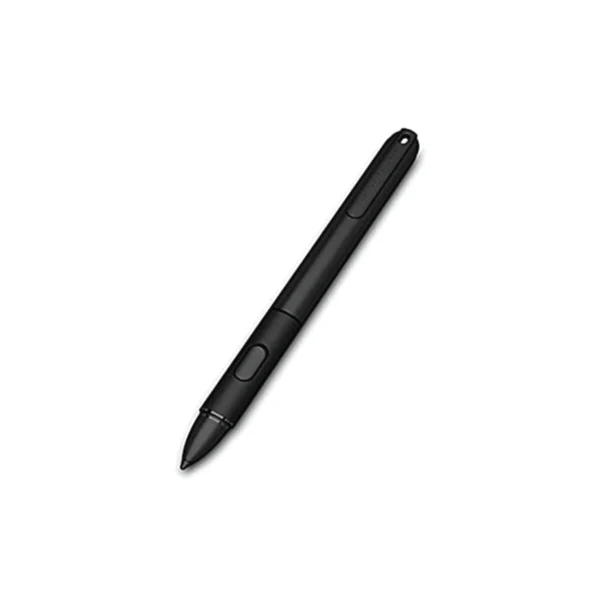
HP ElitePad Executive Tablet Pen for 1000 G2 | NEW 12mth Wty
The HP Executive Tablet Pen is designed to work on the HP ElitePad 1000 G2 as an alternative to touch input, specifically with Windows 8/10 applications in desktop mode. The pen can be used for selecting objects, drawing, taking notes, and signing documents.
Unlike the more familiar “Passive” or “Off-the-Shelf Capacitive” stylus pens, The HP Executive Tablet Pen is an “Active Capacitive” pen and uses a digitizer built in to the screen to allow communication between the tablet screen and the pen. When some Active Capacitive pens are near the screen, the screen detects the pen and deactivates finger touch functionality while the pen is present and writing on the tablet. The HP Executive Tablet Pen must actually touch the screen before the touch functionality is turned off. After writing has stopped and the pen is no longer detected by the screen, finger touch functionality remains off for 1.5 seconds and then touch will become active again. This delay allows the user to write without “ghost” touch artifacts appearing after they stop writing with the pen.
Original: $35.41
-65%$35.41
$12.39Product Information
Product Information
Shipping & Returns
Shipping & Returns
Description
The HP Executive Tablet Pen is designed to work on the HP ElitePad 1000 G2 as an alternative to touch input, specifically with Windows 8/10 applications in desktop mode. The pen can be used for selecting objects, drawing, taking notes, and signing documents.
Unlike the more familiar “Passive” or “Off-the-Shelf Capacitive” stylus pens, The HP Executive Tablet Pen is an “Active Capacitive” pen and uses a digitizer built in to the screen to allow communication between the tablet screen and the pen. When some Active Capacitive pens are near the screen, the screen detects the pen and deactivates finger touch functionality while the pen is present and writing on the tablet. The HP Executive Tablet Pen must actually touch the screen before the touch functionality is turned off. After writing has stopped and the pen is no longer detected by the screen, finger touch functionality remains off for 1.5 seconds and then touch will become active again. This delay allows the user to write without “ghost” touch artifacts appearing after they stop writing with the pen.