Kensington SD3500V M01167 USB 3.0 Dual Video Docking Station HDMI DVI VGA | Wty
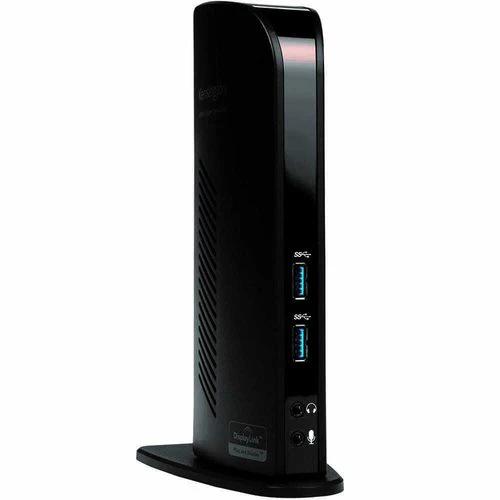
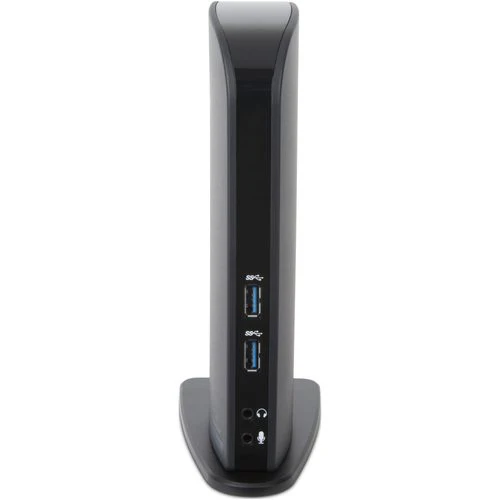
Kensington SD3500V — USB 3.0 Dual Video Docking Station
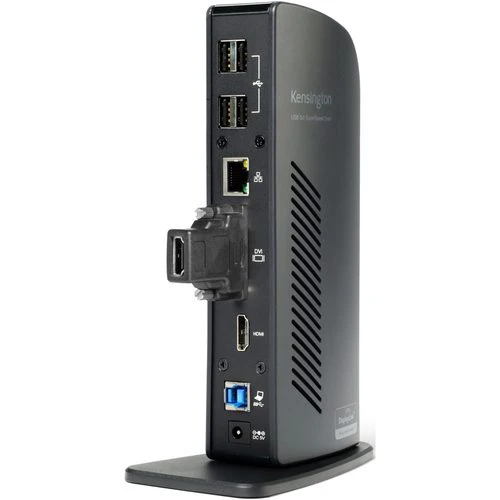
The Kensington SD3500V (M01167) connects your laptop to dual monitors, Gigabit Ethernet, audio, and up to four USB 3.0 devices through a single USB 3.0 cable. HDMI and DVI-I video outputs support displays up to 2048×1152. Backed by a 12-month Reboot IT warranty with free standard AU shipping.
Key Benefits
- Dual Display Support: HDMI and DVI-I outputs drive two external monitors simultaneously at up to 2048×1152 — extend your desktop without a video card upgrade.
- Single USB 3.0 Cable: One USB 3.0 cable to the host laptop carries video, Ethernet, USB, and audio — dock and undock in seconds with zero cable clutter.
- Gigabit Ethernet: Wired GbE for reliable, stable network access — better latency than Wi-Fi for VPN, video conferencing, and large file transfers.
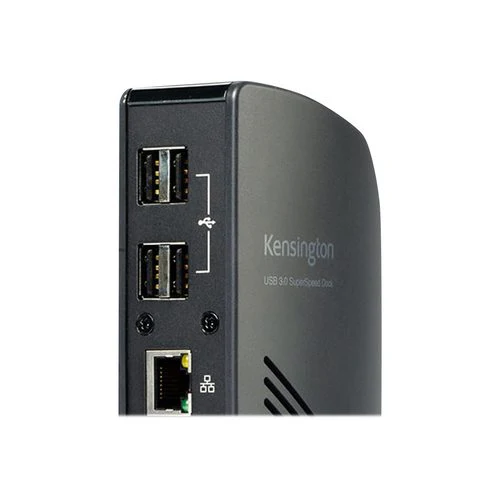
- 4x USB 3.0 Ports: Four USB 3.0 ports connect keyboards, mice, and external drives at up to 5 Gbps — no USB hub required.
- Integrated Audio: 3.5mm headphone and microphone jacks provide desktop audio without using the laptop's built-in jack.
- Broad Compatibility: Works with Windows 7/8/10/11 and macOS via the free DisplayLink driver — install once and all ports activate automatically on connection.
Performance in Use
The SD3500V suits office workers who move between mobile and desk setups throughout the day. Arriving at the desk, a single USB 3.0 plug establishes dual-monitor output, wired Ethernet, and all USB peripherals instantly. Gigabit Ethernet maintains stable VPN connections and handles video conferencing without Wi-Fi dropouts or interference from other devices on the wireless network.
The dual DisplayLink-powered outputs extend the laptop desktop across two external monitors, enabling multitasking across spreadsheets, CRM systems, and email simultaneously. DVI-I output connects to DVI monitors directly or via DVI-to-HDMI adapters for modern screens. Hot-desking environments benefit from the immediate reconnect experience — any user plugging in the same USB 3.0 cable gets their full desk setup in under a second.
Tech Specs
| Host Connection | USB 3.0 (single cable to laptop) |
| Video Outputs | 1x HDMI + 1x DVI-I (dual display, up to 2048×1152) |
| Network | Gigabit Ethernet (RJ45) |
| USB Downstream | 4x USB 3.0 (up to 5 Gbps each) |
| Audio | 3.5mm headphone + 3.5mm microphone |
| OS Compatibility | Windows 7/8/10/11, macOS (DisplayLink driver required) |
| Power | AC adapter (included) |
| Warranty | 12 months — Reboot IT |
Is It Right for You?
| Best For ✓ | Not For ✗ |
| Office workers needing dual monitors via a single cable | Users needing Thunderbolt or USB-C host connection |
| Laptop users wanting wired Ethernet at the desk | Gaming or video editing needing GPU-direct display output |
| Hot-desking environments with shared workstations | Chromebook or Linux users (limited DisplayLink support) |
Condition Grades
| Grade | Condition | Cosmetics |
| A — Excellent | Fully tested and working | Minimal marks, near-new appearance |
| B — Good | Fully tested and working | Light wear, minor scratches on chassis |
Frequently Asked Questions
Does the SD3500V support three monitors?
No — the SD3500V supports two external displays (HDMI + DVI-I). For three-monitor setups, the Kensington SD4500 or equivalent triple-output dock is needed.
Does it work with USB-C laptops?
The SD3500V requires a USB 3.0 Type-A host port. USB-C laptops can use a USB-C to USB-A 3.0 adapter — ensure the adapter supports data transfer (not just charging).
Does it need a driver?
Yes — video output uses DisplayLink technology requiring the free DisplayLink driver (displaylink.com). Ethernet, USB ports, and audio work natively without drivers.
Is the AC power adapter included?
Yes — an AC adapter is included. The SD3500V is not bus-powered; the adapter is required for dual display and full USB power delivery.
Is shipping free?
Yes — free standard Australia-wide shipping is included with every order.
12-Month Warranty & Reboot IT Assurance
Every Kensington SD3500V is tested across all video outputs, USB ports, Ethernet, and audio before dispatch. Backed by a full 12-month warranty. Free standard AU shipping included. Reboot IT has been Australia's trusted refurbished IT specialist since 2001 — reboot-it.com.au.
Original: $35.41
-65%$35.41
$12.39Product Information
Product Information
Shipping & Returns
Shipping & Returns
Description
Kensington SD3500V — USB 3.0 Dual Video Docking Station
The Kensington SD3500V (M01167) connects your laptop to dual monitors, Gigabit Ethernet, audio, and up to four USB 3.0 devices through a single USB 3.0 cable. HDMI and DVI-I video outputs support displays up to 2048×1152. Backed by a 12-month Reboot IT warranty with free standard AU shipping.
Key Benefits
- Dual Display Support: HDMI and DVI-I outputs drive two external monitors simultaneously at up to 2048×1152 — extend your desktop without a video card upgrade.
- Single USB 3.0 Cable: One USB 3.0 cable to the host laptop carries video, Ethernet, USB, and audio — dock and undock in seconds with zero cable clutter.
- Gigabit Ethernet: Wired GbE for reliable, stable network access — better latency than Wi-Fi for VPN, video conferencing, and large file transfers.
- 4x USB 3.0 Ports: Four USB 3.0 ports connect keyboards, mice, and external drives at up to 5 Gbps — no USB hub required.
- Integrated Audio: 3.5mm headphone and microphone jacks provide desktop audio without using the laptop's built-in jack.
- Broad Compatibility: Works with Windows 7/8/10/11 and macOS via the free DisplayLink driver — install once and all ports activate automatically on connection.
Performance in Use
The SD3500V suits office workers who move between mobile and desk setups throughout the day. Arriving at the desk, a single USB 3.0 plug establishes dual-monitor output, wired Ethernet, and all USB peripherals instantly. Gigabit Ethernet maintains stable VPN connections and handles video conferencing without Wi-Fi dropouts or interference from other devices on the wireless network.
The dual DisplayLink-powered outputs extend the laptop desktop across two external monitors, enabling multitasking across spreadsheets, CRM systems, and email simultaneously. DVI-I output connects to DVI monitors directly or via DVI-to-HDMI adapters for modern screens. Hot-desking environments benefit from the immediate reconnect experience — any user plugging in the same USB 3.0 cable gets their full desk setup in under a second.
Tech Specs
| Host Connection | USB 3.0 (single cable to laptop) |
| Video Outputs | 1x HDMI + 1x DVI-I (dual display, up to 2048×1152) |
| Network | Gigabit Ethernet (RJ45) |
| USB Downstream | 4x USB 3.0 (up to 5 Gbps each) |
| Audio | 3.5mm headphone + 3.5mm microphone |
| OS Compatibility | Windows 7/8/10/11, macOS (DisplayLink driver required) |
| Power | AC adapter (included) |
| Warranty | 12 months — Reboot IT |
Is It Right for You?
| Best For ✓ | Not For ✗ |
| Office workers needing dual monitors via a single cable | Users needing Thunderbolt or USB-C host connection |
| Laptop users wanting wired Ethernet at the desk | Gaming or video editing needing GPU-direct display output |
| Hot-desking environments with shared workstations | Chromebook or Linux users (limited DisplayLink support) |
Condition Grades
| Grade | Condition | Cosmetics |
| A — Excellent | Fully tested and working | Minimal marks, near-new appearance |
| B — Good | Fully tested and working | Light wear, minor scratches on chassis |
Frequently Asked Questions
Does the SD3500V support three monitors?
No — the SD3500V supports two external displays (HDMI + DVI-I). For three-monitor setups, the Kensington SD4500 or equivalent triple-output dock is needed.
Does it work with USB-C laptops?
The SD3500V requires a USB 3.0 Type-A host port. USB-C laptops can use a USB-C to USB-A 3.0 adapter — ensure the adapter supports data transfer (not just charging).
Does it need a driver?
Yes — video output uses DisplayLink technology requiring the free DisplayLink driver (displaylink.com). Ethernet, USB ports, and audio work natively without drivers.
Is the AC power adapter included?
Yes — an AC adapter is included. The SD3500V is not bus-powered; the adapter is required for dual display and full USB power delivery.
Is shipping free?
Yes — free standard Australia-wide shipping is included with every order.
12-Month Warranty & Reboot IT Assurance
Every Kensington SD3500V is tested across all video outputs, USB ports, Ethernet, and audio before dispatch. Backed by a full 12-month warranty. Free standard AU shipping included. Reboot IT has been Australia's trusted refurbished IT specialist since 2001 — reboot-it.com.au.