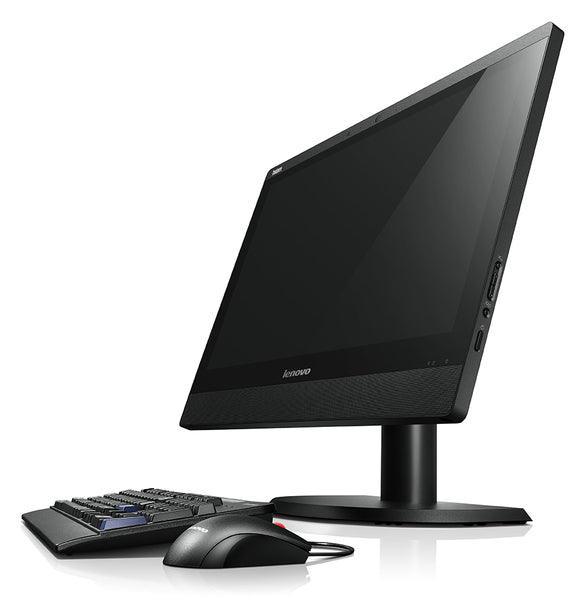
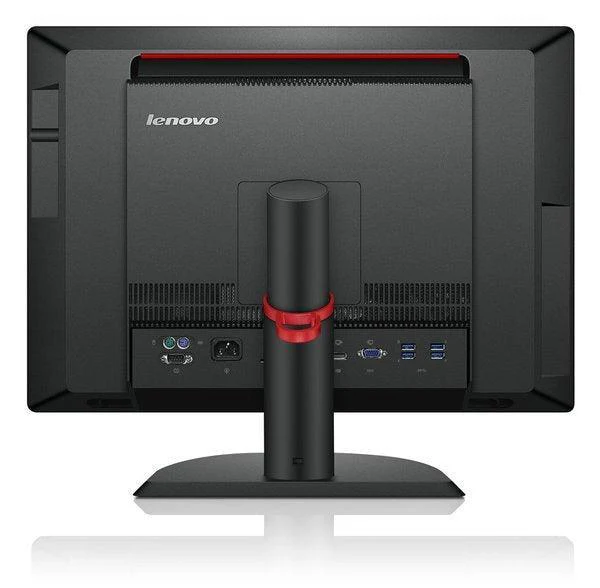
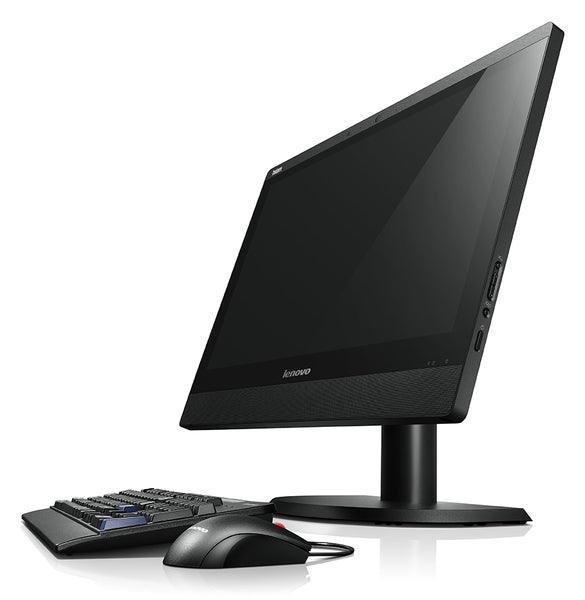
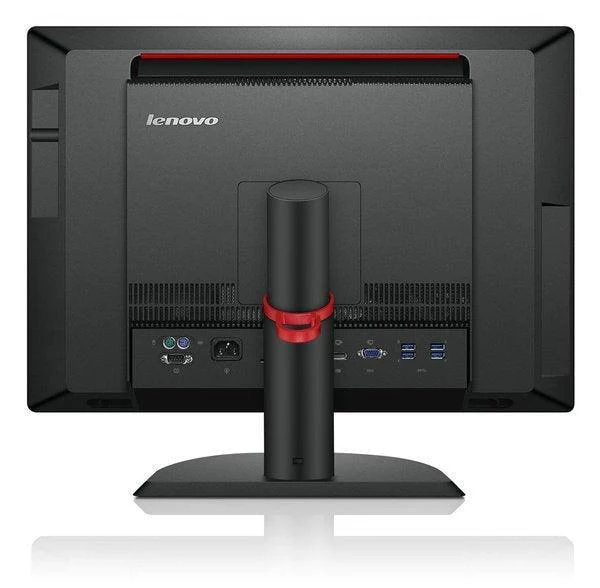
Lenovo ThinkCentre M72E Desktop PC i5-3470 12GB 250GB No OS Installed | Wty
Lenovo ThinkCentre M72e SFF — Compact Business Desktop
The Lenovo ThinkCentre M72e is a proven business-class Small Form Factor desktop delivering dependable quad-core performance with the Intel Core i5-3470 (3rd Gen), 12GB DDR3 RAM, and a 250GB SATA hard drive — priced at $135 inc-GST, this Excellent-grade unit is backed by Reboot IT's 12-month warranty and free Australian shipping. No operating system is included; you'll need to install Windows 10 or Linux before use.
Why Choose the Lenovo ThinkCentre M72e SFF?
- i5 quad-core at a budget price: The i5-3470 runs 4 cores at up to 3.6GHz Turbo, delivering genuine quad-core compute power for office tasks, web, and light multitasking — well above dual-core budget alternatives.
- 12GB DDR3 RAM: An above-average 12GB gives comfortable headroom for multitasking, running multiple browser tabs, and light data work — more than the typical 8GB shipped on many budget desktops.
- 250GB SATA storage: Adequate local storage for documents, software, and user data — and the internal SATA bay accepts a larger drive or SSD upgrade any time you need more.
- Built-in DVD/RW optical drive: Increasingly rare on modern desktops — ideal for reading legacy discs, installing software from media, or burning backups.
- Space-saving SFF chassis: The Small Form Factor design takes up a fraction of the desk space of a full tower — ideal for tight workspaces, reception desks, and point-of-sale environments.
- 12-month Reboot IT warranty: Excellent-grade unit tested by our Melbourne technicians, backed by our full hardware warranty since 2001.
Performance in Everyday Use
The Intel Core i5-3470 is a 3rd Generation Ivy Bridge quad-core processor running at 3.2GHz base with up to 3.6GHz Turbo Boost and 6MB of L3 cache. Four physical cores and Turbo headroom handle everyday tasks well: web browsing, Microsoft Office, email, PDF review, and standard business applications all run smoothly. The 12GB of DDR3 RAM is a particular strength — more than the base 8GB many budget units ship with, giving comfortable headroom for multitasking throughout the day.
The 250GB SATA hard drive provides sufficient local storage for a standard office workstation. Boot times will be slower than an SSD-equipped system — if speed is a priority, the M72e SFF's SATA bay accepts a standard SATA SSD as a straightforward upgrade. The Intel HD Graphics 2500 handles standard 1080p display output via the rear ports; adequate for office use, web browsing, and media playback, though not suited for 3D or gaming workloads.
This unit ships with no operating system installed. Windows 10 Pro is compatible with the i5-3470 and can be installed from a USB or disc after purchase. For IT-managed environments this is an advantage — deploy your own image. For home users, a Windows licence or Linux distribution is needed before the machine is ready to use.
Technical Specifications
| Processor | Intel Core i5-3470 (3rd Gen, Quad-Core, 3.2–3.6GHz Turbo, 6MB Cache) |
| RAM | 12GB DDR3 DIMM |
| Storage | 250GB SATA HDD |
| Graphics | Intel HD Graphics 2500 (integrated) |
| Optical Drive | DVD/RW |
| Form Factor | Small Form Factor (SFF) |
| Operating System | No OS Installed (user must supply) |
| Warranty | 12 months — Reboot IT |
Is It Right for You?
| Best For ✓ | Not For ✗ |
|---|---|
| Budget office workstation needing i5 quad-core | Users requiring a pre-installed operating system |
| IT deployments using custom OS images | Fast SSD boot performance (HDD only) |
| Tight desk spaces — compact SFF footprint | Gaming or GPU-intensive workloads |
| Users who still need an optical DVD/RW drive | Users needing large local storage (250GB only) |
| Reception desks, POS terminals, home offices | Portable computing (this is a desktop unit) |
Condition Grades Explained
| Grade | Condition |
|---|---|
| A — Excellent | Minimal or no cosmetic wear; looks near-new. All hardware tested and certified. |
| B — Good | Light cosmetic marks from normal business use; fully functional. |
Frequently Asked Questions
Does the ThinkCentre M72e SFF come with an operating system?
No — this unit ships with no operating system installed. You will need to provide and install Windows 10 (compatible with this CPU), Linux, or another OS before use. Windows licences are available separately from Reboot IT.
Can I upgrade the RAM?
Yes. The M72e SFF supports DDR3 DIMM modules. This unit ships with 12GB installed. Additional modules can be fitted to reach the maximum supported capacity.
Can I replace the HDD with an SSD?
Yes. The internal SATA bay accepts a standard SATA SSD as a direct replacement. Upgrading significantly improves boot times and responsiveness — this can be done after purchase by any technician.
Can I add a dedicated GPU?
The M72e SFF has a low-profile PCIe slot. SFF units require low-profile cards — full-height cards will not fit. A compatible card enables dual monitor output and improved graphics beyond the integrated HD 2500.
Does Reboot IT offer free shipping?
Yes — all orders include free tracked shipping to any Australian address, dispatched from our Melbourne warehouse within 1–5 business days.
12-Month Warranty & Reboot IT Assurance
This Lenovo ThinkCentre M72e SFF comes with a full 12-month Reboot IT warranty covering hardware faults. Our Melbourne-based team handles repairs or replacements — no overseas calls, no runaround. Reboot IT has been refurbishing business-grade IT equipment since 2001.
Every unit is tested before dispatch: all ports, drives, optical drive, display output, and power-on functionality verified. You receive a ready-to-use compact desktop, not a gamble.
Original: $61.42
-65%$61.42
$21.50Product Information
Product Information
Shipping & Returns
Shipping & Returns
Description
Lenovo ThinkCentre M72e SFF — Compact Business Desktop
The Lenovo ThinkCentre M72e is a proven business-class Small Form Factor desktop delivering dependable quad-core performance with the Intel Core i5-3470 (3rd Gen), 12GB DDR3 RAM, and a 250GB SATA hard drive — priced at $135 inc-GST, this Excellent-grade unit is backed by Reboot IT's 12-month warranty and free Australian shipping. No operating system is included; you'll need to install Windows 10 or Linux before use.
Why Choose the Lenovo ThinkCentre M72e SFF?
- i5 quad-core at a budget price: The i5-3470 runs 4 cores at up to 3.6GHz Turbo, delivering genuine quad-core compute power for office tasks, web, and light multitasking — well above dual-core budget alternatives.
- 12GB DDR3 RAM: An above-average 12GB gives comfortable headroom for multitasking, running multiple browser tabs, and light data work — more than the typical 8GB shipped on many budget desktops.
- 250GB SATA storage: Adequate local storage for documents, software, and user data — and the internal SATA bay accepts a larger drive or SSD upgrade any time you need more.
- Built-in DVD/RW optical drive: Increasingly rare on modern desktops — ideal for reading legacy discs, installing software from media, or burning backups.
- Space-saving SFF chassis: The Small Form Factor design takes up a fraction of the desk space of a full tower — ideal for tight workspaces, reception desks, and point-of-sale environments.
- 12-month Reboot IT warranty: Excellent-grade unit tested by our Melbourne technicians, backed by our full hardware warranty since 2001.
Performance in Everyday Use
The Intel Core i5-3470 is a 3rd Generation Ivy Bridge quad-core processor running at 3.2GHz base with up to 3.6GHz Turbo Boost and 6MB of L3 cache. Four physical cores and Turbo headroom handle everyday tasks well: web browsing, Microsoft Office, email, PDF review, and standard business applications all run smoothly. The 12GB of DDR3 RAM is a particular strength — more than the base 8GB many budget units ship with, giving comfortable headroom for multitasking throughout the day.
The 250GB SATA hard drive provides sufficient local storage for a standard office workstation. Boot times will be slower than an SSD-equipped system — if speed is a priority, the M72e SFF's SATA bay accepts a standard SATA SSD as a straightforward upgrade. The Intel HD Graphics 2500 handles standard 1080p display output via the rear ports; adequate for office use, web browsing, and media playback, though not suited for 3D or gaming workloads.
This unit ships with no operating system installed. Windows 10 Pro is compatible with the i5-3470 and can be installed from a USB or disc after purchase. For IT-managed environments this is an advantage — deploy your own image. For home users, a Windows licence or Linux distribution is needed before the machine is ready to use.
Technical Specifications
| Processor | Intel Core i5-3470 (3rd Gen, Quad-Core, 3.2–3.6GHz Turbo, 6MB Cache) |
| RAM | 12GB DDR3 DIMM |
| Storage | 250GB SATA HDD |
| Graphics | Intel HD Graphics 2500 (integrated) |
| Optical Drive | DVD/RW |
| Form Factor | Small Form Factor (SFF) |
| Operating System | No OS Installed (user must supply) |
| Warranty | 12 months — Reboot IT |
Is It Right for You?
| Best For ✓ | Not For ✗ |
|---|---|
| Budget office workstation needing i5 quad-core | Users requiring a pre-installed operating system |
| IT deployments using custom OS images | Fast SSD boot performance (HDD only) |
| Tight desk spaces — compact SFF footprint | Gaming or GPU-intensive workloads |
| Users who still need an optical DVD/RW drive | Users needing large local storage (250GB only) |
| Reception desks, POS terminals, home offices | Portable computing (this is a desktop unit) |
Condition Grades Explained
| Grade | Condition |
|---|---|
| A — Excellent | Minimal or no cosmetic wear; looks near-new. All hardware tested and certified. |
| B — Good | Light cosmetic marks from normal business use; fully functional. |
Frequently Asked Questions
Does the ThinkCentre M72e SFF come with an operating system?
No — this unit ships with no operating system installed. You will need to provide and install Windows 10 (compatible with this CPU), Linux, or another OS before use. Windows licences are available separately from Reboot IT.
Can I upgrade the RAM?
Yes. The M72e SFF supports DDR3 DIMM modules. This unit ships with 12GB installed. Additional modules can be fitted to reach the maximum supported capacity.
Can I replace the HDD with an SSD?
Yes. The internal SATA bay accepts a standard SATA SSD as a direct replacement. Upgrading significantly improves boot times and responsiveness — this can be done after purchase by any technician.
Can I add a dedicated GPU?
The M72e SFF has a low-profile PCIe slot. SFF units require low-profile cards — full-height cards will not fit. A compatible card enables dual monitor output and improved graphics beyond the integrated HD 2500.
Does Reboot IT offer free shipping?
Yes — all orders include free tracked shipping to any Australian address, dispatched from our Melbourne warehouse within 1–5 business days.
12-Month Warranty & Reboot IT Assurance
This Lenovo ThinkCentre M72e SFF comes with a full 12-month Reboot IT warranty covering hardware faults. Our Melbourne-based team handles repairs or replacements — no overseas calls, no runaround. Reboot IT has been refurbishing business-grade IT equipment since 2001.
Every unit is tested before dispatch: all ports, drives, optical drive, display output, and power-on functionality verified. You receive a ready-to-use compact desktop, not a gamble.