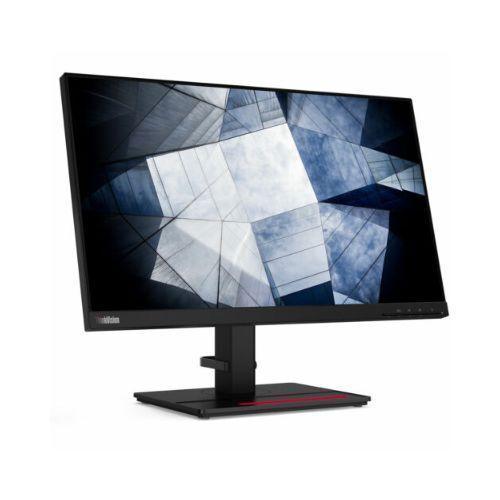
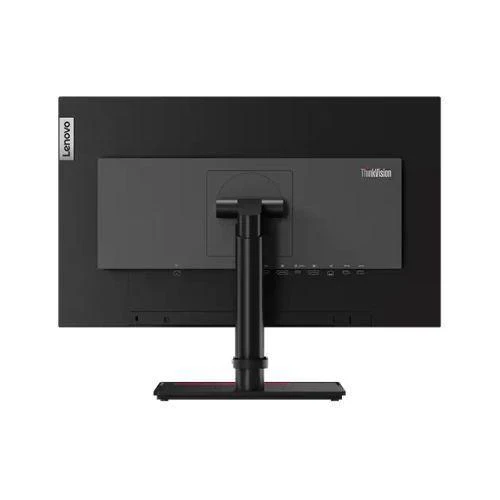

Lenovo 24" Len P24H-20 Monitor QHD IPS 60Hz W-LED USB Hub HDMI USB-C DP | Wty
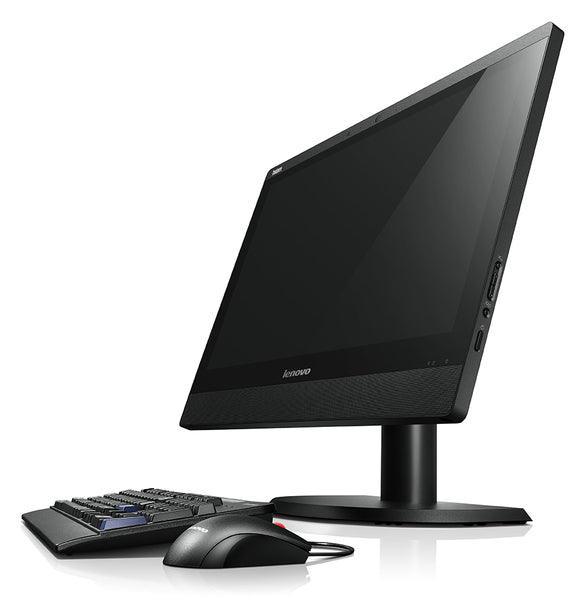
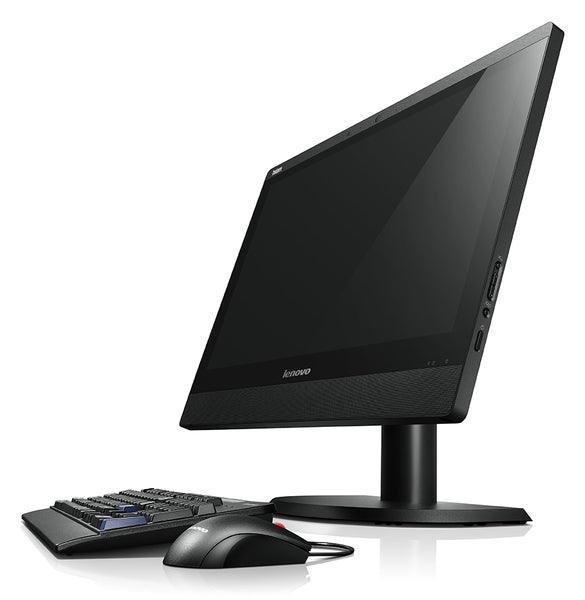
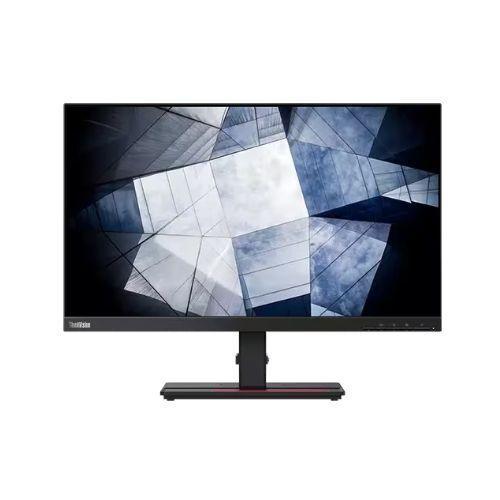
Lenovo ThinkVision P24h-20 — 24" QHD IPS Monitor with USB-C
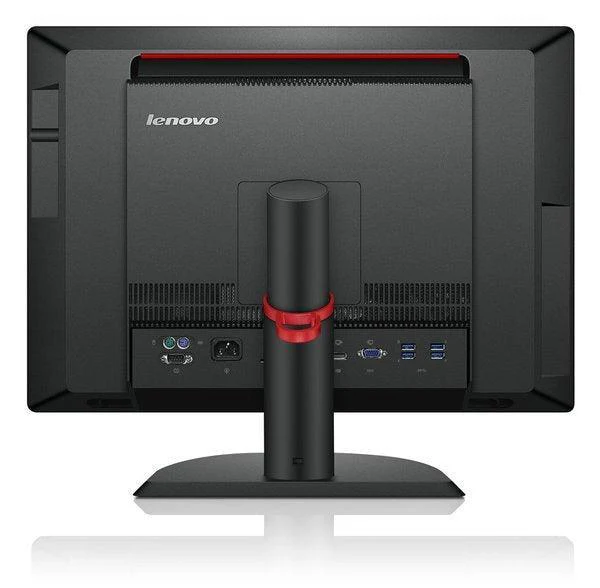
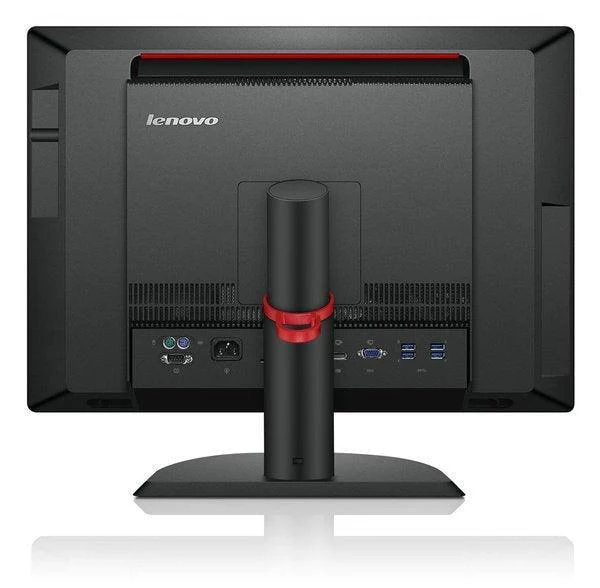
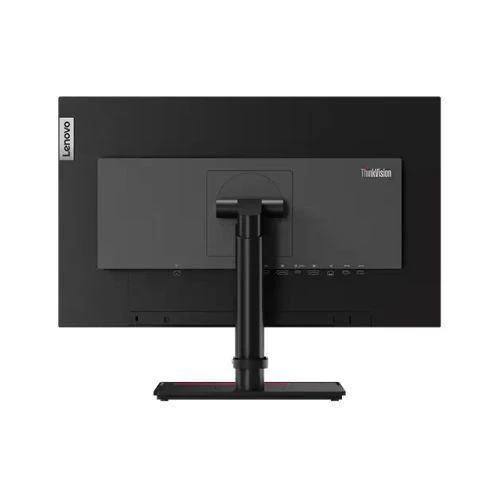
The Lenovo ThinkVision P24h-20 delivers QHD 2560×1440 IPS clarity in a fully ergonomic 24" form factor, backed by a 12-month Reboot IT warranty. With USB-C (65W power delivery), dual HDMI, DisplayPort, and a 4-port USB 3.0 hub, it's built for demanding multi-device workstations.
Key Benefits
- QHD sharpness: 2560×1440 resolution gives you 78% more screen real estate than Full HD — ideal for detailed spreadsheets, code, and design work.
- USB-C one-cable setup: A single USB-C cable delivers video, data, and up to 65W charging simultaneously — no dock required.
- Full ergonomic stand: Height-adjustable, tilt, pivot (portrait), and swivel — dial in the perfect position for any-length sessions.
- 4-port USB 3.0 hub: Built-in hub turns one desk cable into four peripheral connections for mice, keyboards, and drives.
- IPS wide-angle panel: Accurate colour and consistent brightness from nearly any viewing angle — no colour shift when sharing your screen.
- VESA compatible: Standard 100×100mm VESA pattern works with desk arms and wall mounts if you prefer a cleaner setup.
Performance In Use
For knowledge workers and designers who live in spreadsheets, browsers, and design tools, the P24h-20's QHD resolution is a genuine productivity upgrade. The extra vertical space means fewer scrolls through long documents and more code visible on screen at once. The IPS panel's accurate colour rendering — with 99% sRGB coverage — means what you see on screen closely matches how your work will look in print or on client devices.
The USB-C input is the headline feature for modern laptop users. Connect a single cable from your laptop to the monitor and you get power delivery back (up to 65W), video output at full QHD, and access to the four built-in USB 3.0 ports — all through one plug. This eliminates desk clutter and makes dock-style use practical for most USB-C laptop setups without needing a separate docking station.
The fully adjustable stand is a ThinkVision hallmark. Height adjustment, portrait pivot, tilt, and swivel are all included — features typically found only on premium-tier monitors. For shared workstations or ergonomically conscious setups, this flexibility is hard to match at the price point of a refurbished unit from Reboot IT.
Technical Specifications
| Screen Size | 24" (23.8" viewable) |
| Panel Type | IPS (In-Plane Switching) |
| Resolution | 2560 × 1440 (QHD / 2K) |
| Refresh Rate | 60Hz |
| Response Time | 4ms (typical) |
| Brightness | 400 cd/m² |
| Contrast Ratio | 1000:1 (typical) |
| Colour Gamut | 99% sRGB |
| Aspect Ratio | 16:9 |
| Video Inputs | 2× HDMI 2.0, 1× DisplayPort 1.2, 1× USB-C (DP Alt Mode) |
| USB-C Power Delivery | Up to 65W (charges most laptops) |
| USB Hub | 4× USB 3.0 Type-A downstream ports |
| Stand Adjustments | Height, tilt, pivot (portrait), swivel |
| VESA Mount | 100 × 100mm |
| Dimensions (with stand) | ~547 × 515 × 233mm (W×H×D) |
| Weight (with stand) | ~7.4 kg |
| Colour | Black (Raven Black) |
| Warranty | 12 months (Reboot IT) |
Is It Right For You?
| Best For ✓ | Not For ✗ |
|---|---|
| Laptop users who want a single USB-C cable dock | Competitive gamers needing 144Hz+ refresh rates |
| Designers & analysts needing colour-accurate QHD detail | Users with only VGA output on their device |
| Standing desk setups requiring full ergonomic adjustment | Ultra-tight budgets where Full HD is sufficient |
| Shared workstations needing flexible positioning | Setups requiring built-in speakers |
Condition Grades
| Grade | Description |
|---|---|
| A — Excellent | Minimal to no cosmetic marks. Fully functional. Cleaned and tested by Reboot IT technicians. |
| B — Good | Light cosmetic wear (minor scratches or scuffs). Fully functional. All ports and features tested. |
Frequently Asked Questions
Does the USB-C port support both video and charging at the same time?
Yes — the USB-C port on the P24h-20 supports DisplayPort Alt Mode for video plus up to 65W power delivery simultaneously. One cable handles both, which is ideal for USB-C laptops.
Can I connect two computers at once?
The P24h-20 has three video inputs (USB-C, HDMI, DisplayPort), so you can have multiple sources connected and switch between them using the OSD menu button.
Does it work with MacBooks?
Yes — connect via USB-C (Thunderbolt 3/4 compatible) or DisplayPort for full QHD output. The 65W power delivery will charge most MacBook Air and 13" MacBook Pro models.
What's the difference between Excellent and Good grade?
Excellent (Grade A) units have minimal cosmetic marks and present almost like new. Good (Grade B) units show light wear from regular use but are fully functional. Both carry the same 12-month warranty.
Can the stand be removed for VESA mounting?
Yes — the stand detaches and the monitor uses a standard 100×100mm VESA pattern, compatible with most monitor arms and wall mounts.
What are the shipping costs?
Shipping costs apply based on size and destination — rates are calculated at checkout.
Does it have built-in speakers?
No — the ThinkVision P24h-20 does not include built-in speakers. Audio passes through the connected device or an external speaker.
12-Month Warranty — Reboot IT
Every Lenovo ThinkVision P24h-20 sold by Reboot IT is covered by a 12-month warranty. Based in Melbourne and operating since 2001, Reboot IT professionally tests, cleans, and grades every unit before it ships. If something goes wrong within the warranty period, we'll repair or replace it. Shop with confidence at reboot-it.com.au.
Original: $100.44
-65%$100.44
$35.15Product Information
Product Information
Shipping & Returns
Shipping & Returns
Description
Lenovo ThinkVision P24h-20 — 24" QHD IPS Monitor with USB-C
The Lenovo ThinkVision P24h-20 delivers QHD 2560×1440 IPS clarity in a fully ergonomic 24" form factor, backed by a 12-month Reboot IT warranty. With USB-C (65W power delivery), dual HDMI, DisplayPort, and a 4-port USB 3.0 hub, it's built for demanding multi-device workstations.
Key Benefits
- QHD sharpness: 2560×1440 resolution gives you 78% more screen real estate than Full HD — ideal for detailed spreadsheets, code, and design work.
- USB-C one-cable setup: A single USB-C cable delivers video, data, and up to 65W charging simultaneously — no dock required.
- Full ergonomic stand: Height-adjustable, tilt, pivot (portrait), and swivel — dial in the perfect position for any-length sessions.
- 4-port USB 3.0 hub: Built-in hub turns one desk cable into four peripheral connections for mice, keyboards, and drives.
- IPS wide-angle panel: Accurate colour and consistent brightness from nearly any viewing angle — no colour shift when sharing your screen.
- VESA compatible: Standard 100×100mm VESA pattern works with desk arms and wall mounts if you prefer a cleaner setup.
Performance In Use
For knowledge workers and designers who live in spreadsheets, browsers, and design tools, the P24h-20's QHD resolution is a genuine productivity upgrade. The extra vertical space means fewer scrolls through long documents and more code visible on screen at once. The IPS panel's accurate colour rendering — with 99% sRGB coverage — means what you see on screen closely matches how your work will look in print or on client devices.
The USB-C input is the headline feature for modern laptop users. Connect a single cable from your laptop to the monitor and you get power delivery back (up to 65W), video output at full QHD, and access to the four built-in USB 3.0 ports — all through one plug. This eliminates desk clutter and makes dock-style use practical for most USB-C laptop setups without needing a separate docking station.
The fully adjustable stand is a ThinkVision hallmark. Height adjustment, portrait pivot, tilt, and swivel are all included — features typically found only on premium-tier monitors. For shared workstations or ergonomically conscious setups, this flexibility is hard to match at the price point of a refurbished unit from Reboot IT.
Technical Specifications
| Screen Size | 24" (23.8" viewable) |
| Panel Type | IPS (In-Plane Switching) |
| Resolution | 2560 × 1440 (QHD / 2K) |
| Refresh Rate | 60Hz |
| Response Time | 4ms (typical) |
| Brightness | 400 cd/m² |
| Contrast Ratio | 1000:1 (typical) |
| Colour Gamut | 99% sRGB |
| Aspect Ratio | 16:9 |
| Video Inputs | 2× HDMI 2.0, 1× DisplayPort 1.2, 1× USB-C (DP Alt Mode) |
| USB-C Power Delivery | Up to 65W (charges most laptops) |
| USB Hub | 4× USB 3.0 Type-A downstream ports |
| Stand Adjustments | Height, tilt, pivot (portrait), swivel |
| VESA Mount | 100 × 100mm |
| Dimensions (with stand) | ~547 × 515 × 233mm (W×H×D) |
| Weight (with stand) | ~7.4 kg |
| Colour | Black (Raven Black) |
| Warranty | 12 months (Reboot IT) |
Is It Right For You?
| Best For ✓ | Not For ✗ |
|---|---|
| Laptop users who want a single USB-C cable dock | Competitive gamers needing 144Hz+ refresh rates |
| Designers & analysts needing colour-accurate QHD detail | Users with only VGA output on their device |
| Standing desk setups requiring full ergonomic adjustment | Ultra-tight budgets where Full HD is sufficient |
| Shared workstations needing flexible positioning | Setups requiring built-in speakers |
Condition Grades
| Grade | Description |
|---|---|
| A — Excellent | Minimal to no cosmetic marks. Fully functional. Cleaned and tested by Reboot IT technicians. |
| B — Good | Light cosmetic wear (minor scratches or scuffs). Fully functional. All ports and features tested. |
Frequently Asked Questions
Does the USB-C port support both video and charging at the same time?
Yes — the USB-C port on the P24h-20 supports DisplayPort Alt Mode for video plus up to 65W power delivery simultaneously. One cable handles both, which is ideal for USB-C laptops.
Can I connect two computers at once?
The P24h-20 has three video inputs (USB-C, HDMI, DisplayPort), so you can have multiple sources connected and switch between them using the OSD menu button.
Does it work with MacBooks?
Yes — connect via USB-C (Thunderbolt 3/4 compatible) or DisplayPort for full QHD output. The 65W power delivery will charge most MacBook Air and 13" MacBook Pro models.
What's the difference between Excellent and Good grade?
Excellent (Grade A) units have minimal cosmetic marks and present almost like new. Good (Grade B) units show light wear from regular use but are fully functional. Both carry the same 12-month warranty.
Can the stand be removed for VESA mounting?
Yes — the stand detaches and the monitor uses a standard 100×100mm VESA pattern, compatible with most monitor arms and wall mounts.
What are the shipping costs?
Shipping costs apply based on size and destination — rates are calculated at checkout.
Does it have built-in speakers?
No — the ThinkVision P24h-20 does not include built-in speakers. Audio passes through the connected device or an external speaker.
12-Month Warranty — Reboot IT
Every Lenovo ThinkVision P24h-20 sold by Reboot IT is covered by a 12-month warranty. Based in Melbourne and operating since 2001, Reboot IT professionally tests, cleans, and grades every unit before it ships. If something goes wrong within the warranty period, we'll repair or replace it. Shop with confidence at reboot-it.com.au.