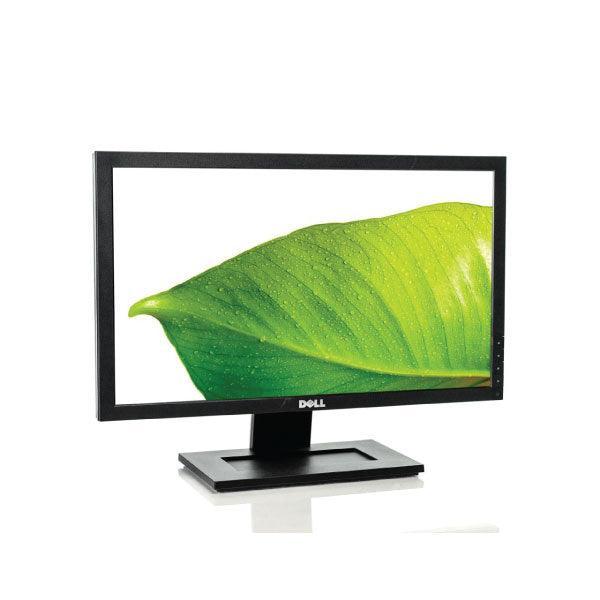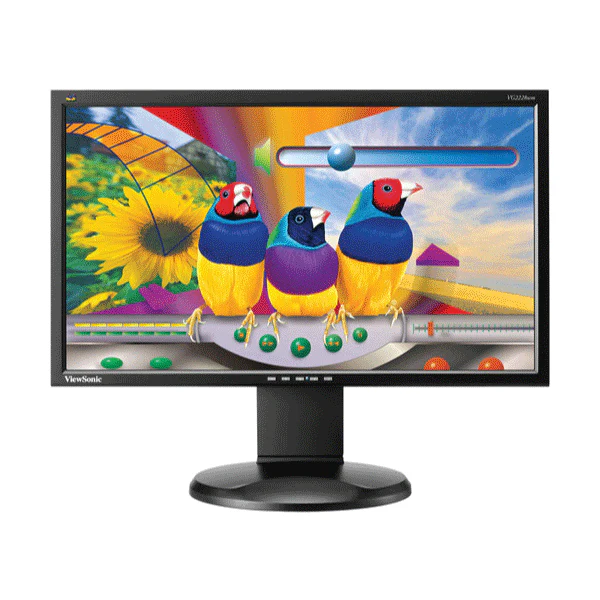
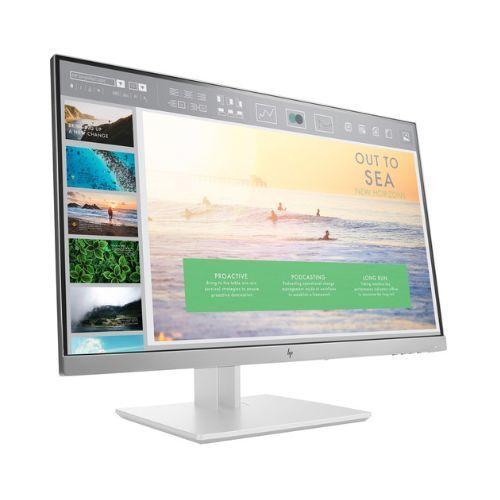
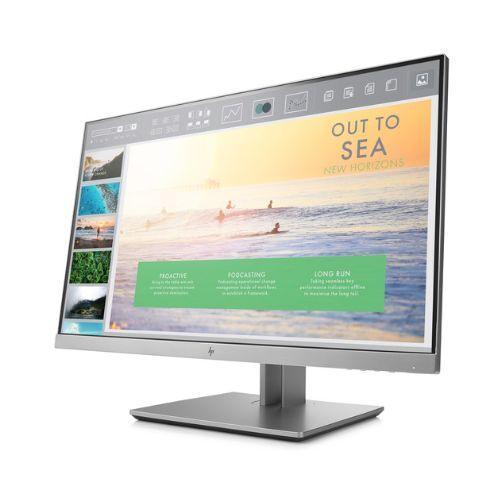
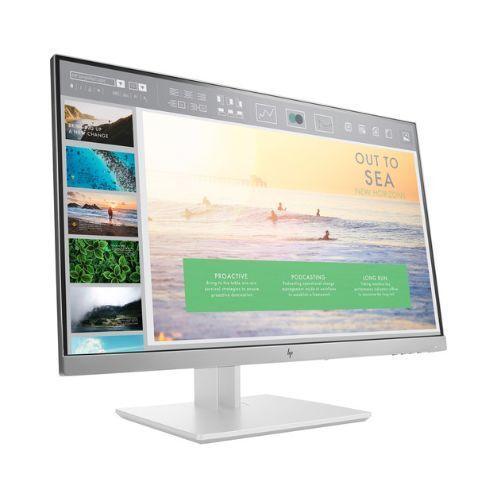
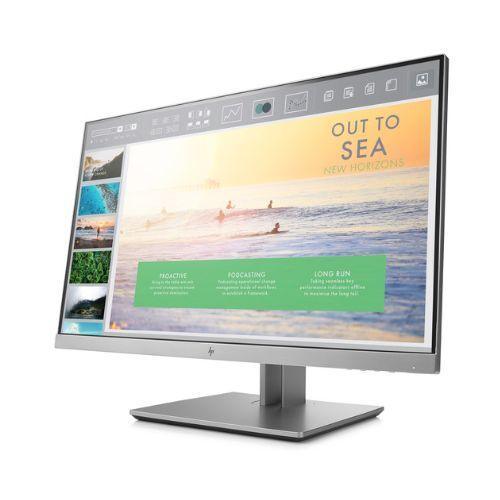
HP EliteDisplay E233 23in 1920x1080 IPS Monitor HDMI DP VGA USB Hub | 3mth Wty
HP EliteDisplay E233 — 23-inch Full HD IPS Business Monitor
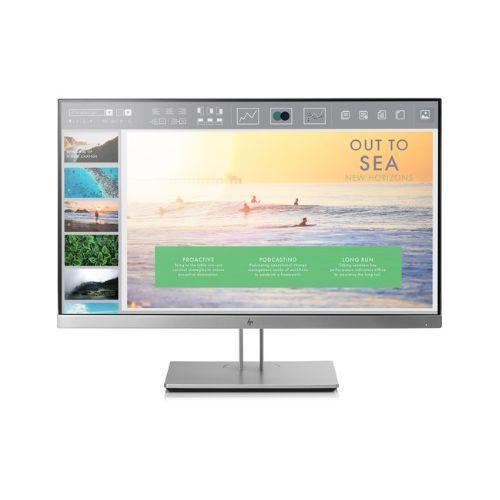
The HP EliteDisplay E233 is a certified refurbished 23-inch business monitor featuring an IPS panel with 1920×1080 Full HD resolution and wide 178° viewing angles. Built for all-day productivity, it includes a full ergonomic stand with height, tilt, swivel, and pivot adjustment, plus HDMI, DisplayPort, and VGA connectivity. Backed by a 12-month Reboot IT warranty.
Key Benefits
- IPS panel technology: Consistent colour and contrast across 178°/178° viewing angles — no colour shift when viewed from the side or low angles.
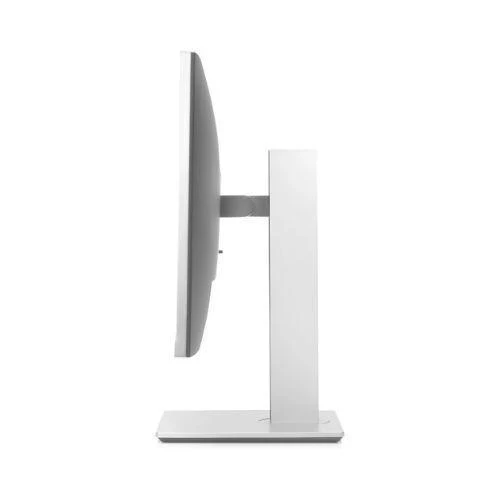
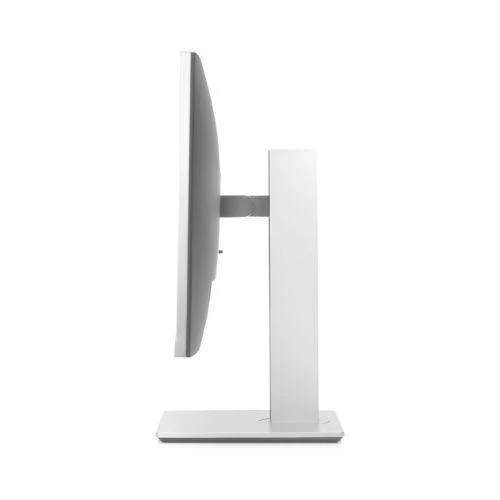
- Full ergonomic stand: Height adjustment up to 150mm, tilt, swivel (±45°), and pivot (90° portrait rotation) for any desk or hot-desk configuration.
- Triple video input flexibility: HDMI 1.4, DisplayPort 1.2, and VGA — compatible with virtually any laptop, PC, or workstation from the last decade.
- Built-in USB hub: Two USB 3.0 ports on the monitor keep cable clutter off your desk without reaching behind a tower.
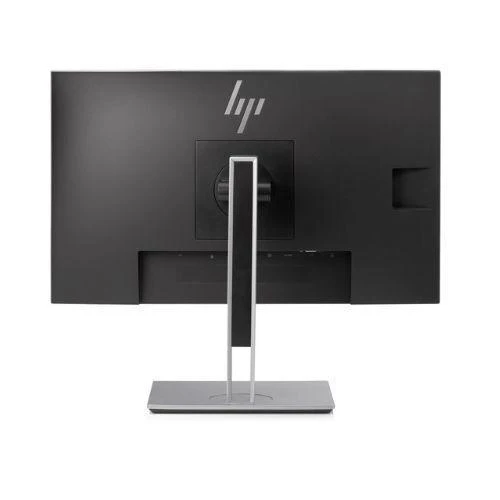
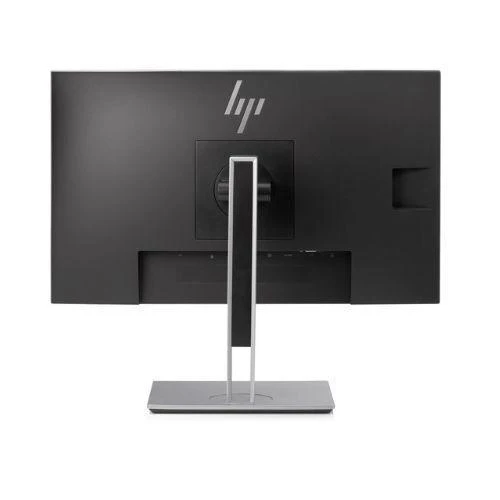
- VESA 100×100mm compatible: Fits most monitor arms and wall-mount brackets for space-saving or dual-monitor setups.
- HP business-grade build: Anti-glare coating and low-blue light mode reduce eye strain during extended work sessions.
Performance in Use
In everyday office use, the E233's IPS panel makes a meaningful difference over TN alternatives. Whether reviewing spreadsheets alongside colleagues, running dual-window layouts, or participating in video calls, the wide viewing angles keep content sharp and accurate from almost any seat position. The 1920×1080 resolution at 23 inches delivers a pixel density well suited to documents, web browsing, and light image editing without the cost premium of a QHD panel.
The stand is the standout feature for shared workstations and hot-desking environments. Height and pivot adjustments allow each user to set up the screen correctly without tools — reducing fatigue compared to fixed-height alternatives. The USB hub adds practical value for connecting keyboards, mice, or USB drives via the monitor rather than reaching behind a PC chassis.
For extended desk setups, the E233's DisplayPort daisy-chain support allows two monitors to run from a single DP output on compatible host PCs, reducing cable runs and GPU port usage. IT administrators managing HP commercial fleets will also find the standard OSD controls and HP Management Integration Kit compatibility useful for bulk configuration.
Technical Specifications
| Screen Size | 23 inches (58.4 cm) |
| Resolution | 1920 × 1080 (Full HD) |
| Panel Type | IPS |
| Brightness | 250 cd/m² |
| Contrast Ratio | 1000:1 |
| Response Time | 5ms (G-to-G) |
| Viewing Angles | 178° horizontal / 178° vertical |
| Video Inputs | HDMI 1.4, DisplayPort 1.2, VGA (D-Sub) |
| USB Ports | 2× USB 3.0 hub |
| Stand Adjustment | Height (up to 150mm), tilt, swivel ±45°, pivot 90° |
| VESA Mount | 100 × 100 mm |
| Aspect Ratio | 16:9 widescreen |
| Anti-Glare | Yes |
| Warranty | 12 months (Reboot IT) |
Is It Right for You?
|
Best For ✓ Office and business users needing a reliable ergonomic daily driver Hot-desk environments where different staff adjust the screen each day Dual-monitor setups via DisplayPort daisy-chain IT departments standardising on HP commercial displays |
Not For ✗ Gaming — 5ms/60Hz is not suitable for competitive play Professional colour-critical work requiring factory-calibrated accuracy Users who need 4K or ultra-wide resolution Applications requiring DisplayPort audio output (not supported) |
Condition Grades
| Grade | Description | Battery |
| A — Excellent | Minimal cosmetic marks; fully functional; thoroughly cleaned | N/A |
| B — Good | Light wear or minor scuffs; fully functional; thoroughly cleaned | N/A |
Frequently Asked Questions
Does the HP EliteDisplay E233 include a stand?
Yes — the full HP ergonomic stand is included. It adjusts for height (up to 150mm), tilt, swivel (±45°), and pivot (portrait rotation), making it one of the most adjustable stands available on a business monitor in this price range.
What video cables are included?
A DisplayPort cable is typically included. If you need HDMI or VGA, you will need to supply your own — these cables are widely available and inexpensive.
Can I daisy-chain multiple E233 monitors?
Yes — the E233 supports DisplayPort daisy-chaining, allowing two or more monitors to run from a single DP output on a compatible host PC. This reduces cable runs and saves GPU ports in multi-monitor setups.
How fast is the USB hub?
The built-in hub provides two USB 3.0 ports at up to 5 Gbps — fast enough for USB drives, keyboards, mice, and most USB peripherals. Connect one upstream USB-B cable (included) to your PC to activate it.
Is this monitor compatible with a monitor arm?
Yes — the E233 has a VESA 100×100mm pattern on the back. Simply remove the stand (tool-free) and attach any standard VESA-compatible arm or wall bracket.
What condition will the monitor arrive in?
Professionally cleaned and tested by Reboot IT. Grade A (Excellent) has minimal cosmetic marks; Grade B (Good) may show light wear. Both grades are fully functional and display correctly at all resolutions.
What are the shipping costs?
Shipping costs apply based on size and destination — rates are calculated at checkout.
12-Month Warranty — Reboot IT
Every HP EliteDisplay E233 sold by Reboot IT is covered by a 12-month warranty on all functional components — IPS panel, electronics, stand mechanism, and USB hub. If it fails during the warranty period, we will repair or replace it at no cost.
Reboot IT has been Melbourne's trusted source for certified refurbished IT equipment since 2001. Every unit is inspected, tested, and graded before dispatch. Visit reboot-it.com.au or contact our team for any warranty or support queries.
Product Information
Product Information
Shipping & Returns
Shipping & Returns
Description
HP EliteDisplay E233 — 23-inch Full HD IPS Business Monitor
The HP EliteDisplay E233 is a certified refurbished 23-inch business monitor featuring an IPS panel with 1920×1080 Full HD resolution and wide 178° viewing angles. Built for all-day productivity, it includes a full ergonomic stand with height, tilt, swivel, and pivot adjustment, plus HDMI, DisplayPort, and VGA connectivity. Backed by a 12-month Reboot IT warranty.
Key Benefits
- IPS panel technology: Consistent colour and contrast across 178°/178° viewing angles — no colour shift when viewed from the side or low angles.
- Full ergonomic stand: Height adjustment up to 150mm, tilt, swivel (±45°), and pivot (90° portrait rotation) for any desk or hot-desk configuration.
- Triple video input flexibility: HDMI 1.4, DisplayPort 1.2, and VGA — compatible with virtually any laptop, PC, or workstation from the last decade.
- Built-in USB hub: Two USB 3.0 ports on the monitor keep cable clutter off your desk without reaching behind a tower.
- VESA 100×100mm compatible: Fits most monitor arms and wall-mount brackets for space-saving or dual-monitor setups.
- HP business-grade build: Anti-glare coating and low-blue light mode reduce eye strain during extended work sessions.
Performance in Use
In everyday office use, the E233's IPS panel makes a meaningful difference over TN alternatives. Whether reviewing spreadsheets alongside colleagues, running dual-window layouts, or participating in video calls, the wide viewing angles keep content sharp and accurate from almost any seat position. The 1920×1080 resolution at 23 inches delivers a pixel density well suited to documents, web browsing, and light image editing without the cost premium of a QHD panel.
The stand is the standout feature for shared workstations and hot-desking environments. Height and pivot adjustments allow each user to set up the screen correctly without tools — reducing fatigue compared to fixed-height alternatives. The USB hub adds practical value for connecting keyboards, mice, or USB drives via the monitor rather than reaching behind a PC chassis.
For extended desk setups, the E233's DisplayPort daisy-chain support allows two monitors to run from a single DP output on compatible host PCs, reducing cable runs and GPU port usage. IT administrators managing HP commercial fleets will also find the standard OSD controls and HP Management Integration Kit compatibility useful for bulk configuration.
Technical Specifications
| Screen Size | 23 inches (58.4 cm) |
| Resolution | 1920 × 1080 (Full HD) |
| Panel Type | IPS |
| Brightness | 250 cd/m² |
| Contrast Ratio | 1000:1 |
| Response Time | 5ms (G-to-G) |
| Viewing Angles | 178° horizontal / 178° vertical |
| Video Inputs | HDMI 1.4, DisplayPort 1.2, VGA (D-Sub) |
| USB Ports | 2× USB 3.0 hub |
| Stand Adjustment | Height (up to 150mm), tilt, swivel ±45°, pivot 90° |
| VESA Mount | 100 × 100 mm |
| Aspect Ratio | 16:9 widescreen |
| Anti-Glare | Yes |
| Warranty | 12 months (Reboot IT) |
Is It Right for You?
|
Best For ✓ Office and business users needing a reliable ergonomic daily driver Hot-desk environments where different staff adjust the screen each day Dual-monitor setups via DisplayPort daisy-chain IT departments standardising on HP commercial displays |
Not For ✗ Gaming — 5ms/60Hz is not suitable for competitive play Professional colour-critical work requiring factory-calibrated accuracy Users who need 4K or ultra-wide resolution Applications requiring DisplayPort audio output (not supported) |
Condition Grades
| Grade | Description | Battery |
| A — Excellent | Minimal cosmetic marks; fully functional; thoroughly cleaned | N/A |
| B — Good | Light wear or minor scuffs; fully functional; thoroughly cleaned | N/A |
Frequently Asked Questions
Does the HP EliteDisplay E233 include a stand?
Yes — the full HP ergonomic stand is included. It adjusts for height (up to 150mm), tilt, swivel (±45°), and pivot (portrait rotation), making it one of the most adjustable stands available on a business monitor in this price range.
What video cables are included?
A DisplayPort cable is typically included. If you need HDMI or VGA, you will need to supply your own — these cables are widely available and inexpensive.
Can I daisy-chain multiple E233 monitors?
Yes — the E233 supports DisplayPort daisy-chaining, allowing two or more monitors to run from a single DP output on a compatible host PC. This reduces cable runs and saves GPU ports in multi-monitor setups.
How fast is the USB hub?
The built-in hub provides two USB 3.0 ports at up to 5 Gbps — fast enough for USB drives, keyboards, mice, and most USB peripherals. Connect one upstream USB-B cable (included) to your PC to activate it.
Is this monitor compatible with a monitor arm?
Yes — the E233 has a VESA 100×100mm pattern on the back. Simply remove the stand (tool-free) and attach any standard VESA-compatible arm or wall bracket.
What condition will the monitor arrive in?
Professionally cleaned and tested by Reboot IT. Grade A (Excellent) has minimal cosmetic marks; Grade B (Good) may show light wear. Both grades are fully functional and display correctly at all resolutions.
What are the shipping costs?
Shipping costs apply based on size and destination — rates are calculated at checkout.
12-Month Warranty — Reboot IT
Every HP EliteDisplay E233 sold by Reboot IT is covered by a 12-month warranty on all functional components — IPS panel, electronics, stand mechanism, and USB hub. If it fails during the warranty period, we will repair or replace it at no cost.
Reboot IT has been Melbourne's trusted source for certified refurbished IT equipment since 2001. Every unit is inspected, tested, and graded before dispatch. Visit reboot-it.com.au or contact our team for any warranty or support queries.